<?xml version="1.0" encoding="utf-8"?><feed xmlns="http://www.w3.org/2005/Atom" ><generator uri="https://jekyllrb.com/" version="3.10.0">Jekyll</generator><link href="http://rae.wtf/feed.xml" rel="self" type="application/atom+xml" /><link href="http://rae.wtf/" rel="alternate" type="text/html" /><updated>2026-06-10T04:01:02+00:00</updated><id>http://rae.wtf/feed.xml</id><title type="html">rae.wtf</title><subtitle>My website!</subtitle><entry><title type="html">HEXA — Too Much News!</title><link href="http://rae.wtf/blog/hexa-too-much-news" rel="alternate" type="text/html" title="HEXA — Too Much News!" /><published>2026-05-13T00:00:00+00:00</published><updated>2026-05-13T00:00:00+00:00</updated><id>http://rae.wtf/blog/hexa-too-much-news</id><content type="html" xml:base="http://rae.wtf/blog/hexa-too-much-news"><![CDATA[<p>Long time no…blog! I’m writing in today because I wanna have a single space to yell about all the cool stuff that’s happening with my really good logic-puzzle game, HEXA, today. There are two major things, so let’s start with the biggest…</p>

<h1 id="hexanow-available-on-steam"><em>HEXA</em>…now available on Steam!</h1>

<p>I know, right?! My first release for personal computers, now on the leading platform for personal computer games. It’s kind of a trip! I even got to make a schmancy trailer for the occasion. You can watch that here:</p>

<center>
<iframe class="image" width="560" height="315" src="https://www.youtube.com/embed/fVHMQl7Jqqw" title="YouTube video player" frameborder="0" allow="accelerometer; autoplay; clipboard-write; encrypted-media; gyroscope; picture-in-picture; web-share" referrerpolicy="strict-origin-when-cross-origin" allowfullscreen=""></iframe>
</center>

<p>…and if you haven’t yet, you should pick the game up on Steam as well! It’s a pretty good game, or so I’ve heard. (If you wanna wait for a sale or something, putting the game on your wish list helps a bunch too!)</p>

<p><a href="https://store.steampowered.com/app/4581230/HEXA" class="button">Buy <em>HEXA</em> on Steam</a></p>

<p>The game is $8 USD — same as Itch.io, same as in Playdate Catalog; same as same as same. It’s gonna be really interesting seeing how things do on Steam as compared to Playdate; the original PC release of HEXA happened last October, but being on the new storefront’s honestly giving me a wicked little sense of “we made it”. Look ma, I’m on the computer! No hands!!<sup id="fnref:1" role="doc-noteref"><a href="#fn:1" class="footnote" rel="footnote">1</a></sup></p>

<p>As always, it works natively on Windows, macOS, and Linux. I even have a nicer Linux-specific build that plays really nice with Steam Deck! (The game itself has been enhanced in a bunch of ways to make it run <em>great</em> on Deck, as well. No more clunky keyboard-typing in Mission Command, for example. Now, if anyone could help me figure out how to get my game Deck Verified…? 😅)</p>

<h1 id="whats-new-with-hexa-like-the-game-itself">What’s new with <em>HEXA</em> (like, the game itself)?</h1>

<p>Oh, yeah, there’s a new version of the game available today as well!</p>

<p>For one thing, the randomization engine for both platforms has now been fully SYNCHRONIZED! That means that things like Daily Run, and Missions (custom or stock) are now guaranteed to be the same between Playdate and personal computers. Existing owners may notice a little bumpiness in the Daily Runs today (as of writing), but it should all mellow out by tomorrow, so just ride the wave.</p>

<p>On top of that, there are a bunch of Steam-exclusive features made to bring it up to parity with the Playdate version. The Steam version supports official integration with Steam’s achievements system, on-line leaderboards for the Arcade Mode and Daily Run, and as a little bonus, it even supports rich presence! So your friends can see what you’re doing, and even a real-time score read-out when you’re in the middle of a heated round.</p>

<p>There are a whooole bunch more bug-fixes and tweaks that have been made in the latest version, v3.1.0. The update is available now on all platforms (Playdate Catalog, Itch.io, and Steam), so make sure you’re up-to-date for the latest in HEXA-matching technology! You can read more about the new update here:</p>

<p><a href="../blog/hexa-manual#changelog"><em>HEXA</em> Changelog</a></p>

<p>I might do another hot patch in a couple days, depending on how many new bugs people report. Honestly, I’ve already got a new little list of ones I’ve found since sending the build off, but there’s no way I’m rushing out another patch right now LOL.</p>

<p>This update’s got one more trick up its sleeve, though; and it’s a pretty big new feature for all owners<sup id="fnref:2" role="doc-noteref"><a href="#fn:2" class="footnote" rel="footnote">2</a></sup>…</p>

<h1 id="hexanow-fully-playable-in-japanese"><em>HEXA</em>…now fully playable in Japanese!</h1>

<p>Yeah! On top of English (my native tongue), and French (thanks again, Voxy), <em>HEXA</em> is now fully localized into Japanese! That’s the other big thing. Thanks to the efforts of the lovely Philemax, the game is now much more accessible to people who speak Japanese.</p>

<p>The translation was wonderfully done, and (of course) all handled by human hands; no machine junk here. I even hand-drew all the 2.3 metric tons of Kanji! Translating it to a pixel font that small was…woof. Thanks as well to the lovely proofreaders who helped me double-check, because I’d definitely not be able to myself haha.</p>

<p>I decided to rock ‘n’ roll with this because Playdate as a platform has a tentative priority to support Japanese as its second system language, and I figured it would be fun to have at least one game on the platform that supports it. Also, with the Steam release impending, it felt like a good idea to make the game just a bit more accessible to people outside the English sphere.</p>

<h1 id="hey-i-already-own-the-game-somewhere-else-what-if-i-want-it-on-steam-now">Hey, I already own the game somewhere else. What if I want it on Steam now?</h1>

<p>I’ll always keep every platform up-to-date with the latest patches and tweaks, so don’t worry about missing out on anything like that! If you’re eyeing those Steam-exclusive features, however, you may be in luck…</p>

<p>If you’ve purchased the game <em>on Itch.io</em>, then check your Download page for the game! On that page, there’ll be a button for you to claim a Steam key, which will let you redeem a version of the game on Steam for no extra cost. This works for any Itch.io owners—past present or future—so feel free to snag a DRM-free copy of the game and still reap the benefits of steamy goodness! (It is worth noting that you need to have <em>purchased</em> the game to qualify. If you’ve received a free-game in the past, it won’t count. Sorry!)</p>

<p>If you’ve purchased the game <em>in Playdate Catalog</em>… unfortunately, there’s no way to claim a Steam key via ownership of that version. Itch.io has tools that let me offer up keys to owners on that marketplace automatically, but Catalog doesn’t have anything of the sort. Feel free to purchase the PC version on your platform of choice, and score it on Steam either way!</p>

<h1 id="anyhoo">Anyhoo!</h1>

<p>That’s all I’ve got to share. Thanks for listening, and for enjoying <em>HEXA</em>! I’m still surprised this game’s come so far, and that people who are into the same kind of freaky puzzle games that I am seem to really like it.</p>

<p>Bye now!<sup id="fnref:3" role="doc-noteref"><a href="#fn:3" class="footnote" rel="footnote">3</a></sup></p>

<hr />

<div class="footnotes" role="doc-endnotes">
  <ol>
    <li id="fn:1" role="doc-endnote">
      <p>I don’t know how to fit this into the main body, so I’m putting it into a footnote: I think the dual-platform approach is really good for me. I don’t plan to stop making new games for Playdate <em>or</em> the computer any time soon — I’d love to get a Steam listing for <em>Project Pesto</em> as well, and maybe use the opportunity to give <em>Labsylle</em> some TLC if <em>HEXA</em>’s run proves successful enough to justify it. <a href="#fnref:1" class="reversefootnote" role="doc-backlink">&#8617;</a></p>
    </li>
    <li id="fn:2" role="doc-endnote">
      <p>Well, all owners who can read Japanese, at least. I just mean, like, all platforms. <a href="#fnref:2" class="reversefootnote" role="doc-backlink">&#8617;</a></p>
    </li>
    <li id="fn:3" role="doc-endnote">
      <p>While I’m still talking… Here’s my ham-fisted retroactive justification for the Steam release date, 05.13.2026: 0 + 5 + 1 + 3 + 2 + 0 + 2 + 6 = 19…and there are 19 triangles on the HEXAPLEX. Duuude. …In reality, I just thought the middle of May would give me enough time between the start of April and then to make all the changes I wanted to, and it wound up being a pretty bang-on timeframe. The specific day was arbitrary. OK, goodbye for real! <a href="#fnref:3" class="reversefootnote" role="doc-backlink">&#8617;</a></p>
    </li>
  </ol>
</div>]]></content><author><name></name></author><category term="hexa" /><summary type="html"><![CDATA[Long time no…blog! I’m writing in today because I wanna have a single space to yell about all the cool stuff that’s happening with my really good logic-puzzle game, HEXA, today. There are two major things, so let’s start with the biggest…]]></summary></entry><entry><title type="html">Double Cheez-It Review</title><link href="http://rae.wtf/blog/double-cheez-it-review" rel="alternate" type="text/html" title="Double Cheez-It Review" /><published>2026-05-01T00:00:00+00:00</published><updated>2026-05-01T00:00:00+00:00</updated><id>http://rae.wtf/blog/double-cheez-it-review</id><content type="html" xml:base="http://rae.wtf/blog/double-cheez-it-review"><![CDATA[<p>I was at the mini-mart earlier today, and I was sat stunned in the chips aisle trying to pick something to get. Usually I’ll spring for a thing of Combos<sup id="fnref:1" role="doc-noteref"><a href="#fn:1" class="footnote" rel="footnote">1</a></sup> or whatever; and my eyes sort of glaze straight over any other participants in the aisle. But this time, I decided to grab a couple random chippy snacks that I’ve never had before, just to try something new and see how they stack up.</p>

<h1 id="cheez-it-crunch-kickn-nacho-cheese">Cheez-It Crunch: Kick’n Nacho Cheese</h1>
<h2 id="first-impression-oh-come-on">First impression: “oh come on”</h2>
<h2 id="id-give-it-a-2-outta-5">I’d give it a: 2 outta 5</h2>

<p><img src="/blog/images/2026-05-01-1.png" alt="File photo of Cheez-It Crunch: Kick'n Nacho Cheese flavor. I got a much smaller bag than this." /></p>

<p>These ones looked interesting! The shape on ‘em reminds me of like a pretzel in a Chex Mix or something; a weird “crunch matrix” that sorta looks like the Windows logo. Or an actual window, I guess. I wonder if the shape of the chip actually does anything to improve crunch factor, or if it’s all about the texture of the chip itself.</p>

<p>On the topic of texture: it sure is crunchy, kinda like a Cheeto, but I wouldn’t even say they’re <em>as</em> crunchy as a stock Cheez-It, and it quickly turns into this indescribable mass that gets stuck to your teeth. The “Kick’n” nacho flavor is incredibly jarring. The best description I could find for it was like…if a team of scientists got locked in a room, and they wouldn’t be let out until they engineered a nacho cheese flavor that a dog could enjoy. Like, nacho cheese-flavored dog treats?</p>

<p>I got about two deep and am now wondering what to do with the rest of these. Maybe I’ll get used to ‘em over time? Maybe a different flavor would have fared better for me? I dunno! I guess we’ll have to see.</p>

<h1 id="cheez-it-puffd-white-cheddar">Cheez-it Puff’d: White Cheddar</h1>
<h2 id="first-impression-oh-reaches-for-a-couple-more">First impression: “oh!” <em>[reaches for a couple more]</em></h2>
<h2 id="id-give-it-like-a-3-outta-5-35">I’d give it like a: 3 outta 5? 3.5?</h2>

<p><img src="/blog/images/2026-05-01-2.png" alt="File photo of Cheez-It Puff'd: White Cheddar flavor. Again, much larger bag than what I got." /></p>

<p>If the Crunch were the analog for classic Cheetos, then this is obviously trying to contend with the Cheeto Puff. It’s pretty nice! Definitely much nicer than the crunch-ed version. They’re very small—about the same 2D area as a typical Cheez-It—but are eponymously puffy and like…weirdly solid? I mean, they’re air-y, but I expected some kind of huge air pocket inside as if they just pumped some air into a stock one. Instead it maintains its texture the entire way through, which is kinda crazy.</p>

<p>The white cheddar flavor is nice, pretty strong for what it is; kinda reminds me of a Pirate’s Booty or whatever. I don’t know if I’d consider these absolute tops, but I can’t lie I’ve been munching on ‘em as I write this post, so, they’ve got at least some staying power. Maybe I’d get ‘em again if I’m in the mood for something white cheddar-y.</p>

<h1 id="what">What?</h1>

<p>I feel like if you threw a Cheeto Puff into some kind of discombobulator that separated out its best and worst qualities, you’d get these two snacks. The puff being the kind of starting line of having an actual puffed affect, and the crunch being the bit towards the end when it becomes all condensed and weird. Unfortunately, even a Cheeto Puff at its best still doesn’t quite stack up to something like a cheesy Puffcorn.</p>

<p>I didn’t have a blog post in mind when I picked up these snacks, but I figured my blog’s been doing a good job lately, it deserves a little post. As a treat! Maybe I’ll pick up some other new snacks or foods or whatever and give my thoroughly-amateur thoughts on them at some point. Let me know if you wanna see that? Actually, I guess opting-out is the hip thing to do these days; let me know if you <em>don’t</em> wanna see that. Otherwise, I’ll just go ahead and assume everyone loves it.</p>

<hr />

<div class="footnotes" role="doc-endnotes">
  <ol>
    <li id="fn:1" role="doc-endnote">
      <p>Sorry in advance about all the brand name drops, I don’t know how else I’m supposed to do this. Anyway, combos fucking rip dude i love pretzel/cracker and vague flavor goo <a href="#fnref:1" class="reversefootnote" role="doc-backlink">&#8617;</a></p>
    </li>
  </ol>
</div>]]></content><author><name></name></author><category term="snacks" /><summary type="html"><![CDATA[I was at the mini-mart earlier today, and I was sat stunned in the chips aisle trying to pick something to get. Usually I’ll spring for a thing of Combos1 or whatever; and my eyes sort of glaze straight over any other participants in the aisle. But this time, I decided to grab a couple random chippy snacks that I’ve never had before, just to try something new and see how they stack up. Sorry in advance about all the brand name drops, I don’t know how else I’m supposed to do this. Anyway, combos fucking rip dude i love pretzel/cracker and vague flavor goo &#8617;]]></summary></entry><entry><title type="html">Labsylle Manual</title><link href="http://rae.wtf/blog/labsylle-manual" rel="alternate" type="text/html" title="Labsylle Manual" /><published>2026-02-17T00:00:00+00:00</published><updated>2026-02-17T00:00:00+00:00</updated><id>http://rae.wtf/blog/labsylle-manual</id><content type="html" xml:base="http://rae.wtf/blog/labsylle-manual"><![CDATA[<p><img src="/blog/images/2026-02-17-1.png" alt="Labsylle logo. The word &quot;Labsylle&quot; is assembled from syllabic blocks." /></p>

<h2 id="synopsis">Synopsis</h2>

<blockquote>
  <p>A cool word puzzle game, all about the “building blocks” of the English language.</p>
</blockquote>

<p><em>Labsylle</em> is a puzzle game. All about syllables. It’s easy to play: you swap around these syllable blocks, two at a time, and try to assemble words. That’s it! Once you get started, though, it’s hard to stop yourself from saying “just one more”. Pop in and out of themed puzzle paks at ease — suspend, and then resume, exactly where you left off. Perfect to play on the bus, waiting in line, or anywhere you need a quick puzzle fix. Who knows? You might even learn a new word or three!</p>

<p>We’re not skimping, either. The game includes over four hundred and fifty word puzzles, and an expansive dictionary of <em>“Quik-Words”</em>, for you to barrel through in sixty second bursts — how many rounds can you complete in that time? If you want a break from all the words words words, there are also about 50 <em>bonus</em> puzzles centered on shapes — the perfect counterpart. That’s Labsylle, explained to you in one hundred and sixty eight words — are you in?</p>

<h1 id="gameplay-basics">Gameplay Basics</h1>

<h2 id="controls">Controls</h2>

<p>A set of Directional and Action buttons are required to play this game. These buttons are used to navigate menus, and are mandatory in main gameplay.</p>

<p>On personal computers, you can use the keyboard (which defaults to Arrows &amp; Z + X), or a compatible gamepad (d-pad &amp; A + B). During an active game, ESC/Start accesses the pause menu. Otherwise, pressing either button twice in succession will quickly exit the game.</p>

<p>On Playdate, you can also optionally use the crank to perform the swapping action usually done by the Action buttons — this can be toggled in the Options menu. (The crank can also be used to navigate menus.)</p>

<h2 id="gameplay">Gameplay</h2>

<p>Gameplay is simple! You’ll be given a group of syllable “blocks”, which are jumbled around in a random order. Your task is to swap them, two-at-a-time, to reach the target word. Preferably, you’d like to do it in as few swaps as possible, as well. That’s it for the basics! But you may encounter a couple other quirky obstacles…</p>

<p><em>Impostors</em> are syllable blocks that don’t actually belong anywhere in the target word. When an impostor block is hiding about, there will be a dedicated spot for it at the far-right end of the playfield. To complete the puzzle, solve the rest of the word correctly, and silo the impostor out in the time-out corner.</p>

<p><em>Bombs</em> are syllable blocks that only give you a limited amount of swaps. If you shuffle them around too many times, they’ll get increasingly fired up, and eventually KERPLODE! …Which means you’ll need to restart the puzzle from the beginning.</p>

<h1 id="modes">Modes</h1>

<h2 id="word-puzzle-paks">Word Puzzle Paks</h2>

<p>The word puzzle paks comprise the default game mode. When you enter this mode, you’ll get to choose from a variety of paks, sorted by difficulty, where words are grouped together under common themes such as “Animals” or “Food &amp; Drink”. Solve all of these words in as little cumulative swaps as you can for a high score! High scores are tracked individually per pak.</p>

<p>If you wanna take a break from a pak and come back to it later, you can select “suspend” from the pause menu. This will kick you back to the pak selection screen, and re-entering the pak will put you exactly where you left off.</p>

<p>Selecting “quit” from the pause menu will maintain your progress within the pak, starting you at the top of the last puzzle you reached, but will reset any progress within the individual puzzle.</p>

<p>If you’d like to clear all progress on a puzzle pak, hover over the pak on the selection screen, and press the left Directional button to arm the deletion process. Press the primary Action button to confirm deletion, and reset all progress and high scores. If you’d like to change your mind, navigate away from the active pak or press the right Directional button to disarm the deletion process.</p>

<h2 id="quik-word">Quik-Word</h2>

<p>In Quik-Word, you get 60 seconds to plonk together as many 4-syllable words as you can! Instead of being scored based on minimum swaps, your goal is simply to complete as many rounds — properly assmble as many words — as possible in the time limit!</p>

<h2 id="bonus-paks">Bonus Paks</h2>

<p>Bonus Paks function like the Word Puzzle Paks, but center around anything but! Currently, there are two types of Bonus Paks — <em>Shapes Paks</em> ask of you to link the blocks together in such a way that there’s an unbroken string of properly-connected shapes, and <em>Math Paks</em> want you to assemble the blocks to create a valid mathematical equation.</p>

<h1 id="on-line-capability">On-line Capability</h1>

<h2 id="about-on-line-play">About on-line play</h2>

<p>This game connects to Playdate’s on-line leaderboard API, to enable sending and receiving of high scores among players across the globe. To use on-line functionality in this game, make sure your Playdate has an active Wireless connection.</p>

<blockquote>
  <p>⚠️ <em>Labsylle for personal computers does not connect on-line, or transmit high scores.</em></p>
</blockquote>

<h2 id="submitting-your-scores">Submitting your scores</h2>

<p>To submit a new score to a global leaderboard, simply complete a pak or finish a round of Quik-Word. When you reach the end results screen, your score will be submitted to the proper leaderboard automatically.</p>

<blockquote>
  <p>⚠️ <em>Be careful — if you close out of Quik-Word without properly ending your run, your score won’t be saved or submitted!</em></p>
</blockquote>

<h2 id="viewing-global-scores">Viewing global scores</h2>

<p>You can view global scores using two primary methods:</p>

<ol>
  <li>
    <p>Visit the Labsylle game page in your Web browser, at <a href="https://play.date/games/labsylle">play.date/games/labsylle</a>. From here, you can view available scores in the Scoreboards section. You can see top 10 scores in every available board.</p>
  </li>
  <li>
    <p>To view global scores for paks within the game, hover over a pak on the selection screen, and select “pak boards” from the Slide menu. From here, you can see the top scores for the current pak.</p>
  </li>
  <li>
    <p>To view global scores for Quik-Word within the game, enter the “Best Scores” menu, accessible from the Title screen. When in this screen, you can use the left and right Directional buttons to toggle between the All-Time and Daily best score leaderboards. From here, you can see hte top scores for the currently-highlighted board.</p>
  </li>
</ol>

<p>The Daily Quik-Word leaderboard refreshes automatically at 00:00 midnight GMT, clearing all scores from the past day.</p>

<h1 id="credits">Credits</h1>

<ul>
  <li>Art, code, music, and SFX — <a href="https://rae.wtf">Rae</a></li>
  <li>Pak writing — Rae, <a href="https://toadley.space">Toad</a>, and <a href="https://voxy.space">Voxy</a></li>
  <li><a href="https://github.com/gautesolheim/25000-syllabified-words-list">Quik-Word list</a> — <a href="https://github.com/gautesolheim">Gaute Solheim</a>; <a href="https://github.com/gautesolheim/25000-syllabified-words-list/blob/main/LICENSE.md">Unlicense</a></li>
  <li><a href="https://fontenddev.com/fonts/digital-disco/">Digital Disco</a> font — <a href="https://fontenddev.com">Font End Dev</a>; <a href="https://creativecommons.org/licenses/by/4.0/">CC BY 4.0</a></li>
  <li><a href="https://fonts.google.com/specimen/Cal+Sans">Cal Sans</a> font — Mark Davis; <a href="https://github.com/calcom/sans/blob/main/OFL.txt">OFL</a></li>
  <li>Playdate <a href="https://playdatesquad.github.io/pd-achievements/">achievements</a> library — Playdate Squad</li>
  <li>xorshift PRNG implementation — <a href="https://bsky.app/profile/2darray.bsky.social">Eli Piilonen</a> (2DArray)</li>
  <li>LÖVE2D <a href="https://github.com/airstruck/knife">Knife</a> library — <a href="https://github.com/airstruck">airstruck</a>; <a href="https://github.com/airstruck/knife/blob/master/license">MIT</a></li>
  <li>LÖVE2D <a href="https://hump.readthedocs.io/en/latest/">HUMP</a> library — Matthias Richter; <a href="https://github.com/HDictus/hump/blob/temp-master/README.md">License</a></li>
  <li><a href="https://github.com/EmmanuelOga/easing">Tween easings</a> — Yuichi Tateno and Emmanuel Oga; <a href="https://github.com/EmmanuelOga/easing/blob/master/license.txt">MIT</a></li>
  <li>Lua <a href="https://github.com/rxi/json.lua">JSON</a> parser — <a href="https://github.com/rxi">rxi</a>; <a href="https://github.com/rxi/json.lua/blob/master/LICENSE">MIT</a></li>
  <li>Playtesters — Oatcup, Dimitri, dennens, scizzorz, benjymous, TheOddLinguist, Scenic Route, Toad, BrittOmnRex, and Angry</li>
  <li>Thanks — Voxy, Toad, Robbo, Scenic Route, Orchid, Winter, Devon, The Rhythm League, the PeeDee Dev Server, and Panic!</li>
</ul>

<h1 id="changelog">Changelog</h1>

<h2 id="version-103">Version 1.0.3</h2>
<h3 id="03012026">03.01.2026</h3>

<ul>
  <li>Fixed game crash when launching the Shapes! pak.</li>
  <li>Fixed game crash when entering puzzle 4 in the Card Stock bonus pak.</li>
  <li>Optimized automatic check logic slightly. Now the correct state will only be checked after each swap, and not on every frame.</li>
  <li>Page numbers are now displayed in Options and Credits screens.</li>
  <li>Removed impostor/bomb icons from the Pak Select screen (due to visual bug with it sometimes crashing into the text).</li>
</ul>

<p>Windows/macOS/Linux:</p>
<ul>
  <li>Added clearer selection indicator on the in-game Pause screen.</li>
  <li>Fixed edge case where you could pause the game again after selecting Suspend or Quit.</li>
  <li>Button display now always reads “A” and “B” regardless of controller connection (due to visual bug with some keyboard key labels).</li>
  <li>Fixed bug where scene transition would not properly occur when resuming a suspended pak.</li>
  <li>Fixed edge case where pressing ESC/Start too early as you enter a game would queue up the full-game quit flow.</li>
</ul>

<p>Playdate:</p>
<ul>
  <li>Added default username check to scoreboards, and a call-to-action if the player hasn’t set their own.</li>
  <li>Cranking on the Options screen will now move to the next/previous page of items (if any) when it attempts to pass the edge.</li>
</ul>

<h2 id="version-102">Version 1.0.2</h2>
<h3 id="02182026">02.18.2026</h3>

<ul>
  <li>Fixed impossible puzzle in the Sports! pak.</li>
  <li>Fixed word touching the edges of the syllable block in the Food &amp; Drink I pak.</li>
  <li>Cursor now starts in (or near) the center when opening a new puzzle.</li>
  <li>Adjusted visualization of bomb blocks (now the explosion happens <em>after</em> 0, not <em>at</em> 0).</li>
</ul>

<p>Playdate:</p>
<ul>
  <li>Added wrapping paper to launch experience.</li>
</ul>

<h2 id="version-101">Version 1.0.1</h2>
<h3 id="02172026">02.17.2026</h3>

<ul>
  <li>Fixed bug where Pak Swaps would erroneously be inflated in Results screen and Playdate leaderboards.</li>
  <li>Added edge-case catch to not attempt to play a sound if it doesn’t exist.</li>
  <li>In Quik-Word, timer will no longer remain visually frozen during Round 1.</li>
  <li>Fixed ‘Paks’ being referred to as ‘Packs’ in quite a lot of places.</li>
</ul>

<p>Playdate:</p>
<ul>
  <li>Fixed bug where, in Quik-Word, leaving the Results screen too fast would cause a leaderboard-related crash.</li>
  <li>Swapped direction of crank scrolling in Quik-Word results screen.</li>
</ul>

<h2 id="version-100">Version 1.0.0</h2>
<h3 id="02092026">02.09.2026</h3>

<ul>
  <li>Initial pre-release.</li>
</ul>

<p><br />
<a href="https://rae.wtf/games/labsylle" class="button">Visit <i>Labsylle</i>’s webpage</a></p>]]></content><author><name></name></author><category term="labsylle" /><summary type="html"><![CDATA[]]></summary></entry><entry><title type="html">There But For The Hex of Gon Go I</title><link href="http://rae.wtf/blog/there-but-for-the-hex-of-gon-go-i" rel="alternate" type="text/html" title="There But For The Hex of Gon Go I" /><published>2025-10-05T00:00:00+00:00</published><updated>2025-10-05T00:00:00+00:00</updated><id>http://rae.wtf/blog/there-but-for-the-hex-of-gon-go-i</id><content type="html" xml:base="http://rae.wtf/blog/there-but-for-the-hex-of-gon-go-i"><![CDATA[<p>Hello! As I write this, it’s been just a couple of days since I launched HEXA on itch.io, for personal computers. If you’re reading this article, you’d probably like it!:</p>

<p><a href="https://raewtf.itch.io/hexa" class="button">PLUG PLUG PLUG (Buy HEXA for personal computers)</a></p>

<p>…Or if you hate clicking links, I’ll sum it up: it’s a puzzle game, with triangles. You make hexagons, and try to conquer the universe. Simple!</p>

<p><img src="/blog/images/2025-10-05-1.png" alt="Screenshot of HEXA running on a computer. In the center of the screen, there's a black, yellow, and white grid comprised of 19 individual triangles." /></p>

<p>I launched the original game in late July of 2024, exclusively on the Playdate console. This was my second release for the platform, and above all else a real testament to the idea of the game jam: come up with a good idea, iterate ‘till you find something that’s “fun”, and polish it ‘till you can see your own reflection. I gave a whole talk about this!<sup id="fnref:1" role="doc-noteref"><a href="#fn:1" class="footnote" rel="footnote">1</a></sup></p>

<p><a href="https://play.date/games/hexa" class="button">The original Playdate version of HEXA, in Catalog</a></p>

<p>The initial game came together over the course of July — development started on the 4th, and it was released by the 30th. This was due in part to how fast I was able to iterate on the game and come up with something that I thought was really special, but also due to a lot of happenstance things that I just happened to get really lucky about. One could very convincingly argue that HEXA has been more trouble <em>after</em> it released than it ever was before! Hahaha, haha, haaa, ha.</p>

<p>But one thing has been on my mind for a while: this game would ROCK on computers. I don’t think it uses the crank in an imperative way (sorry hekhound), and it feels like it’s got better “legs” than a lot of other titles I’ve made for Playdate. I could technically have ported Cloudburst or something, but people aren’t really clamoring for a weather app on…their computers.</p>

<p>I actually went back through some DM history, and apparently the idea of porting HEXA over using LÖVE2D was in my head since…before HEXA even launched! Peep this:</p>

<p><img src="/blog/images/2025-10-05-2.png" alt="DM message from user 'rae'. Attached is a screenshot of the HEXA game board grid running in a macOS window. It's captioned &quot;STAND BACK IM GONNA BLOW THIS WHOLE THING WIDE OPEN&quot;" /></p>

<p>Crazy, right?! Since then I’ve talked with a couple people and formatted the idea a couple different ways (shoutouts to the incredible <a href="https://github.com/GamesRightMeow/playbit">Playbit</a> library from Alex over at <a href="https://gamesrightmeow.com">Games Right Meow</a>, which aims to make this Playdate &lt;=&gt; LÖVE pipeline way easier with a single-repository approach!), but I figure I should talk a bit about the process of this final incarnation of the port, the one that you can pick up today.</p>

<p>I kinda just…started! I downloaded the LÖVE tools, fired open a new Nova project, and just…started running full-force into this new brick wall that’s been placed in front of me. It took me a solid hour to even figure out how to format a window, but by the end I had…something I wound up replacing with a better system that allowed for fullscreen/free resizing. Wooooo…!</p>

<p>Anyway, I started knowing that I was going to have a few hurdles going in. For one, a lot of my projects rely on specific aspects of the Playdate SDK that aren’t necessarily directly portable to LÖVE. Namely, things like OOP (object-oriented programming), game state-switching (which relies on the OOP itself), timers (in the animation sense, to allow for nice easings and delayed reactions), and sprites (Playdate has these as an easier way to manage compartmentalized logic, drawing order, etc. Plus, they also rely on the OOP library, within my workflow).</p>

<p>I soon found out that I was talking to the right people though, because legend icon superfunc basically immediately pointed me towards a library called <a href="https://hump.readthedocs.io/en/latest/">HUMP</a><sup id="fnref:2" role="doc-noteref"><a href="#fn:2" class="footnote" rel="footnote">2</a></sup>. And this got me like… most of the way there! OOP, game states, timers; the only thing it didn’t really have a <em>direct</em> analog for was sprites, but I worked around that by…not using any sprites. Sustainable? Nope! But it works for now. 😁</p>

<p>The timers were also a bit of a kerfuffle to get working, as well — the HUMP library gave me a pretty close approximation, but I definitely had to rework some of my internal logic about how timers need to work. You can’t, for example, create an independent timer object and call for its standalone value. With HUMP, you need to have a pre-existing value, and pass it into the newly-created timer which it will then interpolate based on its settings. So instead of calling timers directly on the field, I’d have individual variables, and then the timers call the shots from the sidelines.</p>

<p>HUMP’s timers also lack functions like repeating, or reversing; so I bodged my way around that by creating more timers that, after a delay, would influence the initial timer performing the animation. So for example, you’d have a “tween” timer that moves a value from 0 to 1 over a second. Then, I’d set up a “every” timer that, every 1 second, would reset the “tween” timer — if the value it was editing was above 0.5, though, it would instead tween from 1 down to 0. Voila; looping, reversing timer! It’s an incredible hack, but it seems to work great.</p>

<p>From there, a lot of the hard work boiled down to three things: trying to jump the mental hurdle of having to crawl through my old code again; getting used to the idiosyncrasies of the LÖVE2D engine (specifically with reference to porting over <em>other</em> idiosyncrasies from the <em>Playdate</em> engine); and also creating a game in a PC environment (instead of one guaranteed platform, there’s an untold number of display resolutions, control methods, etc etc etc).</p>

<p>One simple thing that really screwed me over was losing Playdate’s arithmetic shorthands. For example, in Playdate’s version of Lua, you can do something like <span class="code-span">foo += 1</span> to increment a variable. Stock Lua, however, does not allow for this, and will get SUPREMELY mad at you if you try. So I had to do it the “long” way; for example <span class="code-span">foo = foo + 1</span>. Not a bad change overall, but I definitely accidentally crashed the game quite a few times by just not remembering that I had to switch these over.</p>

<p>Two other big pain points were window resolutions (which I talked about a tiny bit before), and gamepad support. For the windows, I ended up landing on a solution where the game canvas is technically drawn in “the top left corner”, but is moved using translations and the “scissor” tool into the center of the window. The game will only ever scale on an integer level, because I A. did not want to implement a responsive design, and B. wanted to stay as true as I could to the look of the original game. You can even toggle off the color entirely, and play it near-exactly how it would look running on a Playdate!</p>

<p>The gamepad support is also really funny: I had already hooked up key bindings for each scene, and I didn’t feel like duplicating all of that function logic for the gamepads. So instead, I have a single global “gamepad pressed” function that interprets the button you’re pressing, spoofs a key on the keyboard, and tells the LÖVE engine that you “pressed” that “key”. So far, I haven’t heard about any bugs stemming from it!! 😬 (I also made it so that the on-screen button prompts react appropriately to the given control method you’re using. It’s a small touch, but I feel like it greatly improves the perceived polish level of the game!)</p>

<p>I also had the opportunity to add controller rumble, entirely on a whim — I was looking into adding support for the analog sticks on the controller (which I wound up not even supporting); and only in fumbling around through the LÖVE documentation was where I noticed the rumble function on supported controllers. I literally dropped everything to add that in in around ten minutes or so, and I’m really glad I did, because it adds so much in a way that I’ve never been able to toy around with before on Playdate. It’s so cool to experiment with even the subtle things like that which I just had no outlet for before now, and it makes me really stoked to keep working on stuff for the PC platform! If you haven’t already, try the game on a controller. It’s NICE.</p>

<p>On the topic of bespoke additions to the version for personal computers: obviously, color is a huge one. Here’s a fun fact: the game uses the Pico-8 stock color palette! Not for any particular reason, other than that I needed a palette, and it was the first one that I could think of with relative limitations. It was fun having the freedom of a full color suite, while still being limited in a way that necessitated the use of dithers for more advanced hues. I feel like it keeps the spirit of the Playdate original nicely despite much (read: infinitely) greater color fidelity.</p>

<p>At first, I was planning for a only single set of colors to the HEXAPLEX; the default set you see in the game today. After some tester feedback where players were mentioning that they weren’t sure if some of the tri colors were a bespoke value or just negative space on the game grid, I decided that I needed to change the colors. Problem was, I couldn’t decide which palette looked best…sooooo, I decided to add them all! In the final version, you unlock a new set of colors for your HEXAPLEX for every 1,000 on your top high score (up to 25,000). It’s a small bonus, but I really feel like it was a cool addition that helped underscore the insanity of getting to re-interpret a game that I’ve only ever envisioned in 1-bit, in color.</p>

<p>There were also some things that I added to the PC version, that I then <em>backported</em> into the Playdate original! So, this port was an entirely manual effort. I’m sure someone other than me would have written a batch script to convert function names, or asked one of their silly robots to do the job for them, or smartest of all designed the game to support both platforms in the first place. But for me, the only way I’d have been satisfied with the product was to manually vet all the code myself; staring at the Playdate script side-by-side with the new LÖVE code, and manually roping over logic and making engine conversions on the fly.</p>

<p>This process, start to finish, took about a week or two, but that’s also considering the time it took me to learn the fundamentals of LÖVE and figure out the transpositions for the Playdate-specific functions in the first place. One benefit(?) of doing the port this way, is that when you’re taking a very in-depth look through an entire codebase with a required focus on what it’s doing…you spot a lot of bugs you just kinda never noticed before! It’ll be hard to find the time to dive into a codebase that deep again (especially for a larger game), but it meant that I was also revising the Playdate version as I came across quirks and things I figured should be tweaked.</p>

<p>I did also tweak a couple of things just so that I could make things slightly easier on myself in the porting job, while keeping the visual parity up to code. (Nothing structural to the gameplay or logic, mainly just how a couple small things look). I also added a couple bonus features to the Playdate version; things that I was recommended to add to the PC version, but weren’t necessarily <em>impossible</em> to backport to the Playdate hardware. So, both versions now enjoy the benefits of a full Statistics menu, and granular volume controls rather than a static on/off toggle.</p>

<p>The final leap for me came in actually releasing the game. Bundling the versions for different platforms was and continues to be a pain — you can’t really <em>edit</em> a Windows executable without a Windows machine, so I’ve been unable to add fun metadata like icons (if anyone knows a way to do that from a Mac, get in touch!); and of course when creating an app that runs on computers, they are very very vigilant about virus protection. For extremely good reason, let’s face it!, but as someone who’s used to the ease of having someone sideload a Playdate title, the trust barrier of the computer actively being super reluctant to run some code I’ve compiled was a pretty crazy culture shock.</p>

<p>I released the game on itch.io on October 3rd, 2025; not knowing a single thing about the PC gaming market, or how a title like this would sell — I do have experience with itch’s backend (publishing jam titles for example), but am not too well-versed with maintaining a paid title on the platform. I decided to launch at $8 — the same current price as the Playdate version in Catalog — because I figured this would keep things simple. A couple of things are surprising me as someone who has majority experience selling in Playdate’s Catalog — namely, the lower default revenue share taken by itch.io (10%, compared to 25% in Playdate Catalog), and the addition of the ability to ‘tip’ above MSRP.</p>

<p>Catalog has no tips function, so as a developer I’ve subconsciously written it off in my mind just because I don’t have any experience with it; but I’m surprised that multiple people so far have opted to pay above my suggested price for the game! It’s super nice to see; of course if you’re out there, thank you to bits for your support.</p>

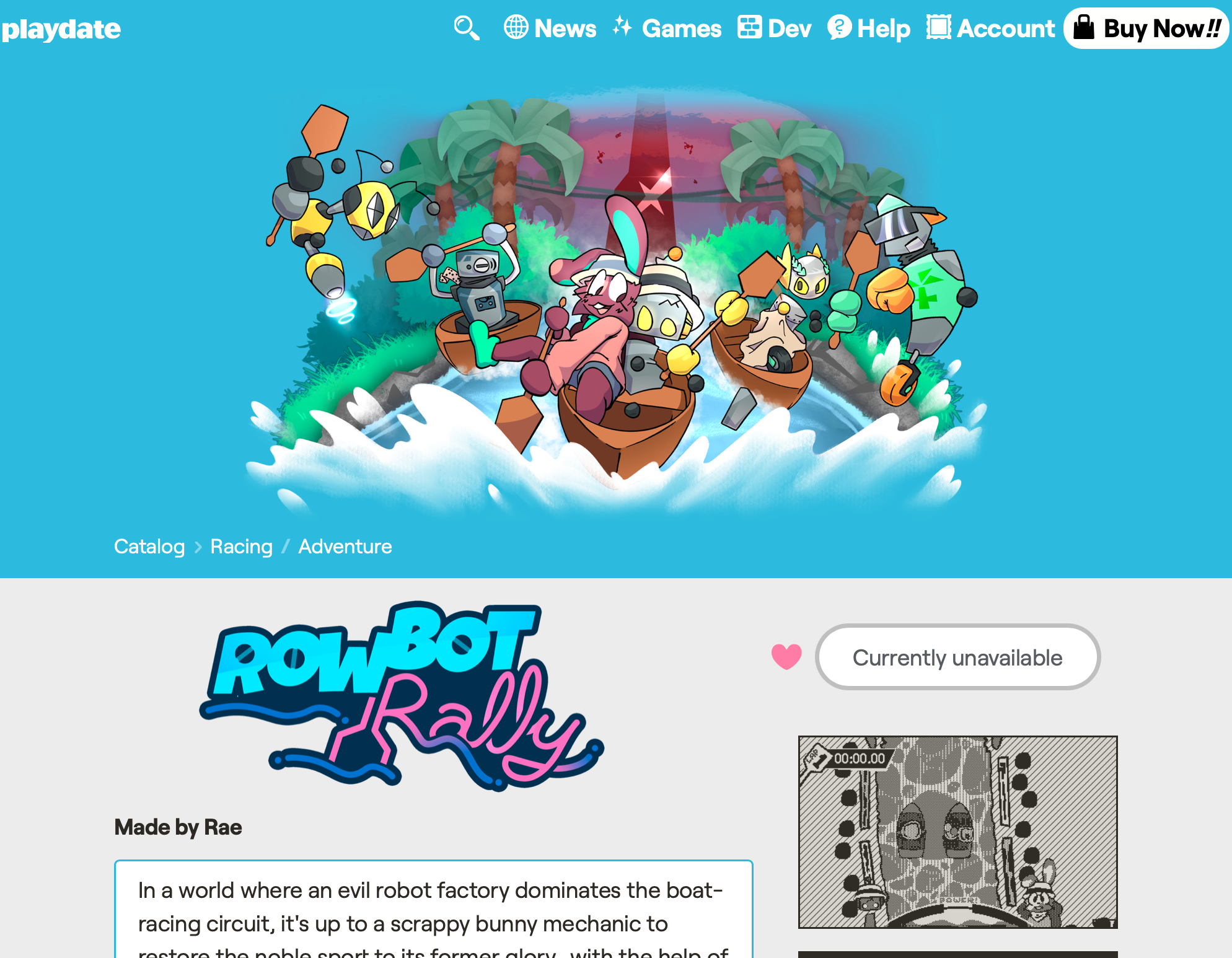
<p>And I think that brings us to…now! It was a super fun experience, and I’m definitely encouraged to make more games for personal computers. Just personally (ha), it was really fun being able to involve my friends who don’t own Playdates — I’ve been making games for a while, but seeing my friends testing and having fun with the things I can make is a magical feeling I didn’t realize I was missing. Once I get more time, I’d absolutely love to continue pursuits in LÖVE2D, and maybe even port some of my other Playdate titles with the same method. (I’ve been <em>racking</em> my brain trying to figure out how <a href="https://play.date/g/rbr">RowBot Rally</a> could work without the crank…) If you’ve read this far, thanks! I hope this interested you. And, if you haven’t picked up the game, I hope you consider it! I know I didn’t talk much about what it’s actually like, but believe me: it’s heaps of fun.</p>

<hr />

<div class="footnotes" role="doc-endnotes">
  <ol>
    <li id="fn:1" role="doc-endnote">
      <p>I really should consider recording a cut of that for YouTube sometime — heaven knows I’ve already forgotten all my lines, and that it wasn’t that good of a talk anyway. <a href="#fnref:1" class="reversefootnote" role="doc-backlink">&#8617;</a></p>
    </li>
    <li id="fn:2" role="doc-endnote">
      <p>I know, I know. Apparently a lot of LÖVE libraries are named like this. I don’t know why. <a href="#fnref:2" class="reversefootnote" role="doc-backlink">&#8617;</a></p>
    </li>
  </ol>
</div>]]></content><author><name></name></author><category term="hexa" /><summary type="html"><![CDATA[Hello! As I write this, it’s been just a couple of days since I launched HEXA on itch.io, for personal computers. If you’re reading this article, you’d probably like it!:]]></summary></entry><entry><title type="html">The Crankyboard Saga</title><link href="http://rae.wtf/blog/the-crankyboard-saga" rel="alternate" type="text/html" title="The Crankyboard Saga" /><published>2025-05-17T00:00:00+00:00</published><updated>2025-05-17T00:00:00+00:00</updated><id>http://rae.wtf/blog/the-crankyboard-saga</id><content type="html" xml:base="http://rae.wtf/blog/the-crankyboard-saga"><![CDATA[<p>So, the Playdate — I’ve never talked about this thing before! Anyway, two important things you need to know heading into this post: the Playdate has games, and the games have scoreboards. …I should probably elaborate.</p>

<p>So certain Playdate games<sup id="fnref:1" role="doc-noteref"><a href="#fn:1" class="footnote" rel="footnote">1</a></sup> have access to on-line scoreboards, giving players some nice global competition. At the time this story is set though (around April 2023), the only way to view a game’s leaderboard — assuming it had one — was to actually buy, download, and launch the game itself, and find where it holds ‘em (assuming it displays ‘em at all). So I figured…why doesn’t somebody make a web viewer for these things?</p>

<p>…Turns out, because nobody reasonably could in a sustainable way. But that wasn’t gonna stop me; so I got to work.</p>

<p><img src="/blog/images/2025-05-17-1.png" alt="WIP first iteration of the Crankyboard." /></p>

<p>Looks pretty good, right? …Eh? Well, I was still working on it at this point. Both in terms of visuals, as well as pretty much all of the underlying code — turns out, the Playdate API is handled in a reasonable manner. CURSES!!</p>

<p>APIs, put very very (overwhelmingly) simply: you yell at a specific endpoint, and it returns data. If you don’t want just anyone accessing that data, though, you can limit it — in Playdate’s case, any request to the leaderboard API, that isn’t coming from either the play.date domain or a physical Playdate console with its unique access token, would just not return anything useful. At this point, all hope seemed lost — how were we gonna be able to read from the API without that access key? Luckily, we have Scratchminer.</p>

<p>This is where the process gets super jank: Scratch helped me set up a dummy Playdate, on a second account. He scrubbed through all the Playdate serial numbers until he found one that wasn’t registered, and then told the Playdate servers “I’d like to register this console!” …In reality, it wasn’t a console at all, but just a very funny server request. And as part of the registration process, the handshaking and back-and-forth; the server provides you with…an access token! Bingo.</p>

<p>So, with this access key, we could now access the scoreboard API. Nice! Some more work later, and in just a weekend…I released the first iteration of the Crankyboard, on April 15th:</p>

<p><img src="/blog/images/2025-05-17-2.png" alt="First iteration of the Crankyboard, displaying Playdate game titles and associated scores." /></p>

<p>On the site end, this was just HTML and CSS, with some light Javascript set up to read from and display stuff in a data file. On my local end, however, I had also crafted the worst Python script of all time to help me maintain the site. Here’s the rundown of that script:</p>

<ul>
  <li>Take this access token, and combine it with a huge hard-coded list of all the Playdate scoreboards we knew existed.</li>
  <li>Scream at every single endpoint, one after another — yes this is as wasteful and silly as it sounds.</li>
  <li>Take all that nice JSON data, and format it into a horrible JS file containing a whole meaty bag of pre-baked HTML elements.</li>
  <li>Take this new JS file, drop it into the Crankyboard source directory, and push a patch — and now, the site has up-to-date info!</li>
</ul>

<p>This is the worst thing ever, and for quite a few reasons: for one, it was supremely hard-coded. If a new game came out that had added new scoreboards, I’d need to update both the website and the Python script to add that in. And to make things worse, the scoreboard API endpoints relied on knowing both the game’s bundle ID as well as the specific board IDs the developer had used to set up their boards. (I think more than a couple times this resulted in me just asking the developers directly what their info was, because guessing didn’t work LOL).</p>

<p>Also, it meant that updates to the boards were completely manual. I mean, not “I’m writing in all the values by hand” manual, but still pretty manual — if someone just posted a new score and they wanted to see it go up, I’d need to be awake and able to update that script, and push the thing through. If I was smarter I probably could have set up a cron job or something to do this automatically at certain periods, but I wasn’t, so this was how we rolled.</p>

<p>One nice thing about doing things manually for the most part, though, is that I could make it very bespoke. An important thing to note about the scoreboard API, is that it only handles a limited amount of data — for each entry you typically only get a username, a timestamp of when it was submitted, their current rank, and an integer number for their actual score. Even by the time I set up the Crankyboard (just a month-ish after the Catalog launched), games were kind of exploiting the integer numbers to allow for more data to be shared. Since the raw scores were never sent anywhere but to the games themselves (where the developers had control over how they were displayed), they could format these scores to their liking — something I had to learn first-hand when building this site.</p>

<p>For example, in <i>Grand Tour Legends</i> — this game’s leaderboards were three of the only to use a feature where the ordering of scores could be <i>flipped</i>, so that a lower number resulted in a higher rank. This makes sense, since being a racing game, having a lower time will naturally be better. But I had never paid any mind to this sort of thing before I had to add the game in, so I had done some pretty awful formatting to flip the scores “back” around, and display them properly.</p>

<p>Another more custom example can be found in <i>Swap Machina</i> — this puzzle game keeps track of both your score and the level you were at when you reached game over, and it does this by attaching the level (which is always a two-digit number) to the very end of the score before submitting. When displaying these scores, it simply has to detach the last two digits of the returned score number, display that as the “level”, and show the remainder as the “score”. I implemented that into Crankyboard too, and felt very smart about it.</p>

<p>Anyhoo, my constant hubris led me to wanna clean up the code and looks pretty much immediately after launch, and so just a day later, I pushed a new site design that made things look a lot cleaner, and added some nice perks like animated graphics and a dark mode.</p>

<p><img src="/blog/images/2025-05-17-3.png" alt="Second iteration of the Crankyboard." /></p>

<p><img src="/blog/images/2025-05-17-4.gif" alt="A gif showing some nice shine effects on the top three scores." /></p>

<p>I was honestly going ham adding way more stuff than this thing needed — toggles for relative and absolute time, special badges hard-coded to be assigned to different usernames (like ones for game developers, leaderboard winners, and people from Panic), showing all available scores for a given board (whereas the games themselves could only ever grab the top ten alongside the player’s own personal best), and a whole bunch more neat stuff like that.</p>

<p>And then, something really funny happened:</p>

<p><img src="/blog/images/2025-05-17-5.png" alt="Discord screenshot — rae saying &quot;IVE BEEN PUT OUT OF BUSINESS?!?!?!&quot;, and a screenshot of a Playdate game page showing leaderboards." /></p>

<p>Panic added scoreboards to the Playdate site! I got run out of business.<sup id="fnref:2" role="doc-noteref"><a href="#fn:2" class="footnote" rel="footnote">2</a></sup></p>

<p>They were actually super apologetic about the situation — turns out the feature’s been around on their end from day 1, and in the time between them implementing it and actually making it live, I just so happened to try the same thing. Theirs ran way more efficiently, though — since it was actually sanctioned, it could yell for the API in a way more responsible way, and crucially update in <i>real-time</i> without manual intervention. This, combined with being displayed on the game pages themselves, definitely made it much more convenient to check.</p>

<p>I kept updating the Crankyboard for a while, but at some point the dummy Playdate had disappeared, and I figured that was as good a sign as any to leave it be. The last update was on July 7th, 2023, so it lasted for a fun few months! And the archive is still around if you just wanna take a peek at the site design (I’m still really happy with how it turned out):</p>

<p><a href="https://rae.wtf/crankyboard" class="button">Visit the Crankyboard archive</a></p>

<p>Crankyboard was a super cool project to make, and it was really fun being a direct through-line to some fun competition like that, but in the end it would never have lasted forever anyway. Manual maintenance relying on one person just isn’t that smart, and it’s low-key nice to not have a weight like that on my shoulders LOL. In the modern day, Playdate scoreboard info is very readily accessible, which is the problem this site was trying to address in the first place; and I feel like it was nice to have in the time it was needed.</p>

<hr />

<div class="footnotes" role="doc-endnotes">
  <ol>
    <li id="fn:1" role="doc-endnote">
      <p>Games in Catalog or a Season — basically, stuff Panic can actually reasonably vet. <a href="#fnref:1" class="reversefootnote" role="doc-backlink">&#8617;</a></p>
    </li>
    <li id="fn:2" role="doc-endnote">
      <p>Don’t take that as a genuine complaint LOL, I genuinely do not mind; I just think it’s really funny to word it like that. <a href="#fnref:2" class="reversefootnote" role="doc-backlink">&#8617;</a></p>
    </li>
  </ol>
</div>]]></content><author><name></name></author><category term="blog" /><summary type="html"><![CDATA[So, the Playdate — I’ve never talked about this thing before! Anyway, two important things you need to know heading into this post: the Playdate has games, and the games have scoreboards. …I should probably elaborate.]]></summary></entry><entry><title type="html">Traffic Jam Manual</title><link href="http://rae.wtf/blog/traffic-jam-manual" rel="alternate" type="text/html" title="Traffic Jam Manual" /><published>2025-04-08T00:00:00+00:00</published><updated>2025-04-08T00:00:00+00:00</updated><id>http://rae.wtf/blog/traffic-jam-manual</id><content type="html" xml:base="http://rae.wtf/blog/traffic-jam-manual"><![CDATA[<p><img src="/blog/images/2025-01-24-1.png" alt="Traffic Jam logo. The wordmark is portrayed in a rugged style worthy of a construction site." /></p>

<h2 id="synopsis">Synopsis</h2>

<blockquote>
  <p>Guide the traffic to the beat, don’t get swept up off your feet.</p>
</blockquote>

<p>Nebulous construction work’s a tough job, and somebody has to manage the traffic going in and out. Luckily, you happened to be around when they were scrambling in a blind panic to find somebody who could do it! Can you master the new rhythm-based method of guiding these overzealous cars?</p>

<p>Traffic Jam is a fun endless rhythm game that exclusively uses the Playdate’s crank. Watch out for four car types with distinct cue patterns, keep the beat (as well as you can, at least) while the tempo gets ever faster, and try to avoid a nasty collision! Features classic non-stop rhythm-action fun, in-depth statistics, and an unlockable Hardcore Mode to really test your skills.</p>

<h1 id="gameplay-basics">Gameplay Basics</h1>

<h2 id="controls">Controls</h2>

<p>The crank is the main control method for this game, though the A and B buttons can be used instead. The D-pad and A and B buttons are used to navigate menus. The use of the crank is relatively binary.</p>

<p>To switch control methods, open the Slide menu on the Title screen, and change the “control” setting. You can choose between “crank” and “buttons”. When playing with the crank, you can choose between “crank”, “crank (+90)”, and “crank (-90)” play modes. These different modes will offset the 0º position of the crank as perceived by gameplay, so you can play with the console flat on a table for example.</p>

<p>Audio is quite important to gameplay — while the game can be played silently by a more experienced player, having an active audio output is recommended.</p>

<p>To adjust the starting BPM of gameplay, open the Slide menu on the Title screen, and change the “start bpm” setting. The default is 120. You can choose in increments of ±5 BPM from a minimum of 30, to a maximum of 170.</p>

<h2 id="gameplay">Gameplay</h2>

<p>During the game, your crank is separated into two “fields” — left, and right. When using the crank, cranking across the 0º or 180º boundaries will swap between them. When using buttons, pressing A or B will flip the sign to the left or right.</p>

<p>At certain points, cars will zoom in from either side of the screen. Depending on the car, a different warning cue will be provided to let you get ready to wave them through in the correct direction.</p>

<p>Scoring happens when the car passes you — if your sign is pointing in the correct direction, you’ll gain a point. Otherwise, you won’t gain a point, and will lose a life.</p>

<h1 id="modes">Modes</h1>

<h2 id="normal-mode">Normal Mode</h2>

<p>Normal Mode is the basic gameplay mode in <em>Traffic Jam</em>.</p>

<p>In this mode, you have three lives. A life is lost whenever you don’t wave a car through in the correct direction — indicated by a screen-shake and a skidding noise.</p>

<p>This mode starts out at your preset start BPM (defaults to 120). When you reach Level 5, every new round will increase the BPM by +10. For every 100 points you score, you’ll gain a life (maximum of 3).</p>

<h2 id="hardcore-mode">Hardcore Mode</h2>

<blockquote>
  <p>💡 <em>This Mode is only unlocked after scoring 100 or greater in Normal Mode.</em></p>
</blockquote>

<p>In Hardcore Mode, the default BPM is upped to +30 more than your preset (defaults to 150), and you also have only one life — miss any amount of times, and it’s game over.</p>

<h1 id="on-line-capability">On-line Capability</h1>

<h2 id="about-on-line-play">About on-line play</h2>

<p>This game connects to Playdate’s on-line leaderboard API, to enable sending and receiving of high scores among players across the globe. To use on-line functionality in this game, make sure your Playdate has an active Wireless connection.</p>

<h2 id="submitting-your-scores">Submitting your scores</h2>

<p>To submit a new score to the global leaderboard, simply complete a game. When you reach the ‘Game Over’ screen, your score will be submitted to the proper leaderboard automatically.</p>

<blockquote>
  <p>⚠️ <em>Be careful — if you close out of the game without properly ending the round, your score won’t be saved or submitted!</em></p>
</blockquote>

<h2 id="my-score-didnt-send-what-do">My score didn’t send! What do?</h2>

<p>If you obtained a new high score, but it didn’t get sent up to the leaderboard, there are a few things you can try:</p>

<ol>
  <li>
    <p>Give it a little time, and see if it sends up automatically.</p>
  </li>
  <li>
    <p>Try playing another round — it doesn’t need to be <em>yet another</em> new high score, but this might kick the OS’ caching into high gear.</p>
  </li>
</ol>

<h2 id="viewing-global-scores">Viewing global scores</h2>

<p>You can view global scores using two primary methods:</p>

<ol>
  <li>
    <p>Visit the <em>Traffic Jam</em> game page in your Web browser, at <a href="https://play.date/games/traffic-jam/">play.date/games/traffic-jam</a>. From here, you can view available scores in the Scoreboards section. You can see top 10 scores in every available board.</p>
  </li>
  <li>
    <p>Enter the ‘Leaderboards’ menu within the game, accessible from the Title screen. When in this screen, you can use the A button to toggle between the Normal Mode and Hardcore mode leaderboards (if Hardcore Mode is unlocked). From here, you can see the top scores for the currently-highlighted board, as well as your own score and ranking (if available).</p>
  </li>
</ol>

<h1 id="credits">Credits</h1>

<ul>
  <li>Art, code, music, and SFX — <a href="https://rae.wtf">Rae</a></li>
  <li>Cuberick and Nontendo fonts — <a href="https://panic.com">Panic</a>; <a href="https://creativecommons.org/licenses/by/4.0/">CC BY 4.0</a></li>
  <li>Transmit truck cameo — <a href="https://panic.com">Panic</a></li>
  <li><a href="https://playdatesquad.github.io/pd-achievements/">Achievements</a> library — Playdate Squad</li>
  <li>Playtesters — Lav, ocean, xenwow, Lyman, PurpleMoustache, and Ledbetter</li>
  <li>Thanks — Tengu, Toad, 2DArray, Lav, and the rest of the Playdate Squad!</li>
</ul>

<h1 id="changelog">Changelog</h1>

<h2 id="version-104">Version 1.0.4</h2>
<h3 id="05202025">05.20.2025</h3>

<ul>
  <li>Floored car movement to prevent flashing of dither patterns</li>
  <li>Level end logic no longer plays out during game over sequence (which could result in boosted stats)</li>
  <li>Tweaked achievements slightly — instead of 50/100/250/500, score barriers are now 50/100/200/250 in both modes</li>
  <li>Fixed bug where slide menu options may persist upon entering the Credits screen</li>
  <li>Added “crank (+90)” and “crank (-90)” control options.</li>
</ul>

<h2 id="version-103">Version 1.0.3</h2>
<h3 id="04282025">04.28.2025</h3>

<ul>
  <li>Added four new music tracks!
    <ul>
      <li>You can also choose between any or all of them from the Title screen</li>
    </ul>
  </li>
  <li>Fixed bug where Tutorial would inherit custom BPM values</li>
  <li>Fixed leaderboards crash if number of score entries surpassed 5</li>
  <li>Added slower “start BPM” times, down to 30 BPM</li>
  <li>Adjusted speed-up behavior with external BPMs for better balancing</li>
  <li>Added default username check to the leaderboards screen</li>
  <li>Fixed leaderboards crash if you entered and exited the scene real fast</li>
  <li>Fixed possible crash if crank value equals “360”</li>
  <li>Updated achievements library to v1.0</li>
  <li>Added credit for achievements library</li>
</ul>

<h2 id="version-102">Version 1.0.2</h2>
<h3 id="03122025">03.12.2025</h3>

<ul>
  <li>Added “start bpm” option to define a faster start, toggle-able from the Title screen</li>
  <li>Added button controls, toggle-able from the Title screen</li>
  <li>BPM will now start ramping up instantly in Normal Mode</li>
  <li>Added achievements! <a href="https://github.com/PlaydateSquad/pd-achievements">Learn more here.</a></li>
  <li>Fixed bug where extra lives would be awarded in Hardcore Mode</li>
  <li>Flipped button prompts on Game Over screen</li>
  <li>Added some more stuff floating alongside the clouds</li>
  <li>Added some different random skins for the cars</li>
  <li>Correctly read off points as “point” if there’s only 1</li>
  <li>Hopefully fixed bug where Hardcore scores weren’t sending properly?</li>
</ul>

<h2 id="version-101">Version 1.0.1</h2>
<h3 id="02252025">02.25.2025</h3>

<ul>
  <li>Hardcore mode threshold increased from 50 pts to 100 pts</li>
  <li>BPM will now increase by +10 per level instead of +5</li>
  <li>Game will now award a life every +100 pts.</li>
  <li>Fixed a bug where having “react SFX” disabled would break the Tutorial mode</li>
  <li>Fixed visual issue on exit animation</li>
  <li>Added more save checks mid-play</li>
  <li>Player’s global rank is now shown in leaderboards page</li>
  <li>Added some more music and SFX to leaderboards page</li>
  <li>Fixed a couple crashes on the leaderboards page</li>
  <li>Game now only refreshes screen when necessary</li>
  <li>Cars coming in from the different directions now have subtly different audio cues</li>
  <li>Fixed thing where the Sedan was slightly misaligned with the beat</li>
  <li>Lowered volume of level-complete “ding!”</li>
  <li>Polished up sign flip animation</li>
  <li>Added clouds to gameplay screen</li>
  <li>Renamed “Practice” to “Tutorial”</li>
  <li>Fixed kerning on capital S in small-text font</li>
  <li>Fixed timing issue with loading transitions</li>
</ul>

<h2 id="version-100">Version 1.0.0</h2>
<h3 id="02212025">02.21.2025</h3>

<ul>
  <li>Initial playtesting release.</li>
</ul>

<p><br />
<a href="https://play.date/games/traffic-jam" class="button">Buy <i>Traffic Jam</i> in Catalog</a></p>]]></content><author><name></name></author><category term="traffic jam" /><summary type="html"><![CDATA[]]></summary></entry><entry><title type="html">Mission LunaTrix Manual</title><link href="http://rae.wtf/blog/mission-lunatrix-manual" rel="alternate" type="text/html" title="Mission LunaTrix Manual" /><published>2025-03-10T00:00:00+00:00</published><updated>2025-03-10T00:00:00+00:00</updated><id>http://rae.wtf/blog/mission-lunatrix-manual</id><content type="html" xml:base="http://rae.wtf/blog/mission-lunatrix-manual"><![CDATA[<p><img src="/blog/images/2025-03-10-1.png" alt="Mission LunaTrix logo." /></p>

<h2 id="synopsis">Synopsis</h2>

<blockquote>
  <p>One small ollie for man, one giant kickflip for mankind.</p>
</blockquote>

<p><em>“Captain’s log: stardate…something-or-other. It’s been about 3 days since the lander made a rather high-speed landing into the Moon’s surface. My oxygen supplies are running low, my only possession that survived the crash is my trusty skateboard, and I need to find a way back home. …Now, this might sound crazy—”</em> [END TRANSMISSION]</p>

<p>When you find yourself trapped on the surface of an unfamiliar terrain, there’s only one thing that can bring you back to terra firma…<em>EPIC SKATE TRICKS</em>. Can you jump, grind and shred your way to escape velocity before time runs out? Mission LunaTrix is a radical sports-arcade game featuring innovative 3D terrain, plenty of strategy, and a bumpin’ original soundtrack.</p>

<h1 id="gameplay-basics">Gameplay Basics</h1>

<h2 id="controls">Controls</h2>

<p>The d-pad and crank are required to play this game. The D-pad and A and B buttons are used to navigate menus.</p>

<h2 id="gameplay">Gameplay</h2>

<p>Navigate the moon’s surface, in search of opportunities to perform epic skate tricks. There are five types of objects you may encounter in your lunar venture:</p>

<ul>
  <li>Craters — These are good! Hit ‘em and launch into a jump.</li>
  <li>O2 Canisters — These are good! They replenish oxygen.</li>
  <li>UFOs — These are rad! Hit ‘em and score bonus points.</li>
  <li>Flags — Fun collectible! I wonder who’s been here?</li>
  <li>Rovers — These are bad! Hit one, and you get stunned.</li>
</ul>

<p>Ramp off craters, rack up points, and make your way back home! Or at least, to another moon…</p>

<p>It’s important to keep an eye on your oxygen levels. If they reach zero, you’ll be rather…stranded. You can replenish oxygen by picking up O2 Canisters, or by escaping the current moon. Your O2 gauge will re-fill on every successful escape.</p>

<h2 id="scoring">Scoring</h2>

<p>Ramping off of craters and performing tricks is key to your escape! When you’re sent into the air, use the crank in tandem with the d-pad to pull off different moves. Advanced ones can score big points!</p>

<p>When you reach a high enough score threshold, you’ll start flashing. This means you’ve got enough radical power charged up to escape the gravitational pull! Hit another crater, and you’ll be launched to the next moon.</p>

<h3 id="combos">Combos</h3>

<p>When you successfully land from a jump, your combo meter will increase. Hit more jumps to rack up the multiplier and score MASSIVE points! There’s no limit, so go wild! Your final score is displayed at the end.</p>

<p>If you skate around for long enough without hitting another crater, run into a rover, or get too overzealous with your tricks, your meter will reset back to x1.</p>

<h1 id="modes">Modes</h1>

<h2 id="arcade-mode">Arcade Mode</h2>

<p>In Arcade Mode, your goal is to hop from moon to moon, and survive for as long as you can without running out of oxygen. When you complete a level, your oxygen meter is replenished, and you’re sent to a new moon with a different, randomly-generated layout.</p>

<p>For each new moon, you’ll have less and less oxygen, and will require more and more points to be able to move on.</p>

<h2 id="daily-orbit">Daily Orbit</h2>

<p>In Daily Orbit, you get placed on a single moon — randomly-generated, but the same for everyone each day. Your goal is to rack up as many points as you can before your oxygen runs out.</p>

<p>You only get one shot at the Daily Orbit each day. Give the mode a try and see if you can best your friends (or your enemies)!</p>

<h1 id="on-line-capability">On-line Capability</h1>

<h2 id="about-on-line-play">About on-line play</h2>

<p>This game connects to Playdate’s on-line leaderboard API, to enable sending and receiving of high scores among players across the globe. To use on-line functionality in this game, make sure your Playdate has an active Wireless connection.</p>

<h2 id="submitting-your-scores">Submitting your scores</h2>

<p>The Arcade Mode and Daily Orbit both support global on-line leaderboards.</p>

<p>To submit a new score to a global leaderboard, simply complete a game. When you reach the end results screen, your score will be submitted to the proper leaderboard automatically.</p>

<blockquote>
  <p>⚠️ <em>Be careful — if you close out of the game without properly ending your run, your score won’t be saved or submitted!</em></p>
</blockquote>

<h2 id="my-score-didnt-send-what-do">My score didn’t send! What do?</h2>

<p>If you obtained a new high score, but it didn’t get sent up to the appropriate leaderboard, there are a few things you can try:</p>

<ol>
  <li>
    <p>Give it a little time, and see if it sends up automatically.</p>
  </li>
  <li>
    <p>Try playing another round — it doesn’t need to be <em>yet another</em> new high score, but this might kick the OS’ caching into high gear.</p>
  </li>
</ol>

<h2 id="viewing-global-scores">Viewing global scores</h2>

<p>You can view global scores using two primary methods:</p>

<ol>
  <li>
    <p>Visit the <em>Mission LunaTrix</em> game page in your Web browser, at <a href="https://play.date/games/mission-lunatrix/">play.date/games/mission-lunatrix</a>. From here, you can view all available scores in the Scoreboards section. You can see top 10 scores in every available board.</p>
  </li>
  <li>
    <p>Enter the ‘Scoreboards’ menu within the game, accessible from the Title screen. When in this screen, you can use the A button to toggle between the Arcade Mode and Daily Orbit leaderboards. From here, you can see the top scores for the currently-highlighted board, as well as your own score and ranking (if available).</p>
  </li>
</ol>

<p>The Daily Orbit leaderboard refreshes automatically at 00:00 midnight GMT, clearing all scores from the past day. When viewing scores in-game, there’s also a handy timer to tell you when the boards will be cleared.</p>

<h2 id="user-icons">User Icons</h2>

<p>In <em>Mission LunaTrix</em>, you have the ability to set a custom user icon, which appears alongside your score in scoreboards.</p>

<p>To set a user icon, press B on the Title screen, and use the crank to preview the options. Press A to choose your favorite! Your icon will be updated on the leaderboards page next time you submit a new high score to the board.</p>

<h1 id="credits">Credits</h1>

<ul>
  <li>Art, code, and music — <a href="https://rae.wtf">Rae</a></li>
  <li>SFX — <a href="https://pixabay.com/">pixabay.com</a>; <a href="https://pixabay.com/service/terms/">License</a></li>
  <li>Tubular V/O — <a href="https://jordancarroll.com">Jordan Carroll</a>; <a href="https://creativecommons.org/public-domain/cc0/">CC0</a></li>
  <li>Cutout City font — <a href="https://www.hawtpixel.com">Hawtpixel</a>; <a href="https://hawtpixel.com/Hawtpixel%20Font%20License%20-%20650%20Font%20Bundle.pdf">License</a></li>
  <li>Pedallica and Bitmore fonts — <a href="https://panic.com">Panic</a>; <a href="https://creativecommons.org/licenses/by/4.0/">CC BY 4.0</a></li>
  <li><a href="https://playdatesquad.github.io/pd-achievements/">Achievements</a> library — Playdate Squad</li>
  <li>Playtesters — dennens, Alex, Scenic, Soinksters, Steven, Toad, and Kirkpad</li>
  <li>Thanks — Toad, Dimitri, Jex, John, Rob, Voxy, Mag, Tengu, Axo, freds, and 2DArray!</li>
</ul>

<h1 id="changelog">Changelog</h1>

<h2 id="version-200">Version 2.0.0</h2>
<h3 id="06242025">06.24.2025</h3>

<ul>
  <li>Added “Daily Orbit”! Just one shot at a seeded moon, every day
    <ul>
      <li>The original gameplay from the jam version has been renamed to “Arcade Mode”</li>
    </ul>
  </li>
  <li>Added on-line leaderboards! Available exclusively in the Catalog version.
    <ul>
      <li>Added boards for Arcade Mode and Daily Orbit</li>
      <li>Added user icons! Press B from the title screen to customize yours.</li>
    </ul>
  </li>
  <li>Fixed bugs where scores and save data would not get…saved</li>
  <li>Tweaked randomized level generation to guarantee at least some craters
    <ul>
      <li>New objects will also be at least one unit of space apart from each other</li>
    </ul>
  </li>
  <li>O2 and rover spawn ability is now determined by weighted random seed</li>
  <li>Player starting speed and jump length now based on random seed</li>
  <li>Added some tubular V/O, courtesy of Jordan Carroll. Thank you!</li>
  <li>Added “How to play” section that tells you what to do</li>
  <li>Added achievements! <a href="https://github.com/PlaydateSquad/pd-achievements">Learn more here.</a></li>
  <li>Added flags (just for fun!) and UFOs (rare score bonus!) to the play field</li>
  <li>Added an ollie mechanic, accessible by pressing Up on the d-pad</li>
  <li>Added escape progress indicator along the bottom edge</li>
  <li>Souped up all the music to be more jammy</li>
  <li>Changed the names of the performable tricks to be more fantastical</li>
  <li>Re-worked player tile alignment to make more sense (hopefully means less collision slips, too)</li>
  <li>Added a radical-looking new sidebar while doing tricks</li>
  <li>Added “Performance” option that knocks down some visual quality
    <ul>
      <li>Stock visual quality is a bit higher now, too</li>
    </ul>
  </li>
  <li>Added optional radar to display select objects before they appear over the horizon</li>
  <li>Spaced out the “bitmore” font a bit in-game, and added an outline.</li>
  <li>Added “Spin Camera” option to toggle camera rotation during tricks</li>
  <li>Drew up some new, more animated skater sprites</li>
  <li>Added mid-game pause image</li>
  <li>Fixed possible crash caused by moving away from the title real fast, then hitting buttons</li>
  <li>Added more tricks for cranking counter-clockwise</li>
  <li>Fixed bug where score readouts weren’t properly calculated</li>
  <li>Added slide menu items in most-all of the menus</li>
  <li>Added instant “end game” button mid-game, in the slide menu</li>
  <li>Low O2 audio indicator now starts sooner</li>
  <li>Added a pulse effect to low O2 and performing tricks</li>
  <li>Re-formatted game over screen, and added sounds</li>
  <li>Added a dynamic shadow under the skater</li>
  <li>Added lerped slowdown when you crash into a game over state</li>
  <li>Starting speed is slower, points threshold starts lower, O2 level starts higher</li>
  <li>O2 Canisters replenish more oxygen, from 1.2x current levels to 1.5x</li>
  <li>Added “Skip cutscene” option</li>
  <li>Added cool pseudo-random moon names</li>
  <li>Hitting rover now destroys your combo instantly</li>
  <li>Added slight cooldown between tricks. Land during this, and you’ll CRASH!!</li>
  <li>Credits screen is now more readable</li>
  <li>Fixed bug where crank could still be used to travel through menus, even when moving to a new scene</li>
  <li>Made objects on moon animate more smoothly</li>
  <li>Each round will display the current round at the start</li>
  <li>Made exit animation display at any time, even mid-game</li>
  <li>Added “Use the Crank!” prompt at the start of the game</li>
  <li>Added some more oomph to the turning radius</li>
  <li>Added “orchestra hit” launch sound</li>
  <li>Title screen now remembers your last selection</li>
  <li>Added commas to numbers</li>
  <li>You now lose some speed when crashing after a jump</li>
  <li>Trick “hit!” sound increases pitch in a more pleasing way</li>
  <li>Fixed bug where you could false-trigger buttons while transitioning between menus</li>
  <li>Added iris into the interstitial scene</li>
</ul>

<h2 id="version-100">Version 1.0.0</h2>
<h3 id="03102025">03.10.2025</h3>

<ul>
  <li>Initial release, for PlayJam 7.</li>
</ul>

<p><br />
<a href="https://play.date/games/mission-lunatrix" class="button">Buy <i>Mission LunaTrix</i> in Catalog</a></p>]]></content><author><name></name></author><category term="mission lunatrix" /><summary type="html"><![CDATA[]]></summary></entry><entry><title type="html">Cloudburst Manual</title><link href="http://rae.wtf/blog/cloudburst-manual" rel="alternate" type="text/html" title="Cloudburst Manual" /><published>2025-02-25T00:00:00+00:00</published><updated>2025-02-25T00:00:00+00:00</updated><id>http://rae.wtf/blog/cloudburst-manual</id><content type="html" xml:base="http://rae.wtf/blog/cloudburst-manual"><![CDATA[<p><img src="/blog/images/2025-02-07-1.png" alt="Cloudburst logo. A simplistic design with an umbrella creating the O in &quot;cloud&quot;, and the pole looping down to form the U in &quot;burst&quot;." /></p>

<h2 id="synopsis">Synopsis</h2>

<blockquote>
  <p>Real-time weather. On your Playdate.</p>
</blockquote>

<p>Curious what the forecast looks like? Easy! But…your laptop’s out of reach, your phone’s battery is dead, your smart assistant’s brain is busted, and your curtains are shut. It’s just you, and your Playdate. What can you do? Well, here is your answer! Leveraging state-of-the-art networking capabilities, Cloudburst is a fully seamless, on-line enabled weather app for your Playdate!</p>

<p>Get the forecast here, there, or anywhere — it’s compatible with cities around the world! (And don’t worry, it works with Fahrenheit or Celsius — metric or imperial.) See detailed stats such as hourly forecast, precipitation, wind, and more. Change settings to your heart’s content, and even use it as a low-power screensaver — the perfect desk buddy. No external tools or setup required, just download and go — it’s weather, untethered.</p>

<h1 id="basics">Basics</h1>

<p>This app connects to an external on-line API, to enable sending and receiving of data including weather information. This app also connects to Playdate’s on-line leaderboard API, to enable sending of high scores among players across the globe. To use this app, make sure your Playdate has an active Wireless connection.</p>

<h2 id="controls">Controls</h2>

<p>The d-pad and A and B buttons are used to navigate menus. The crank is optionally used in menus, or to display detailed weather information. Within the app, context is provided as to which controls will perform what actions.</p>

<h2 id="initialization">Initialization</h2>

<p>When you first start the app, you’ll be prompted to provide an approximate location. This data will be shared with the weatherapi.com service to gather information about your area. This information isn’t shared anywhere else on-line, but your direct input will be saved on your Playdate’s local disk.</p>

<p>After providing a location, you’ll be prompted to adjust a few settings — namely, temperature preference, and measurement preference. After this, the Playdate will attempt to connect to the Internet and grab weather data for your area. If your Playdate cannot connect to the Internet, an error message will appear and you’ll be prompted to try again later.</p>

<h2 id="where-are-you">Where are you?</h2>

<p>If the resulting API data doesn’t match your location, try being a bit more specific with your data entry. For example, instead of “Portland”, try inputting something like “Portland OR”, or a direct ZIP/Postal code. Cloudburst should work with most (if not all) areas around the globe — if you live in or discover an area that you just cannot get to work, let me know!</p>

<h1 id="weather">Weather</h1>

<h2 id="main-screen">Main Screen</h2>

<p>The main screen always shows your area’s current temperature and estimated forecast, your console’s local time, and current battery estimate.</p>

<p>By default, when the Playdate is plugged in to power, animated wallpapers will refresh at 30 frames per second. When running on battery, the display will enter a lower-power state to save energy, refreshing at 5 frames per second. You can change this behavior by toggling “Smooth animations” in Options.</p>

<p>If you open the app without a Wireless connection, the main screen won’t contain weather information, or The Fold™. Feel free to continue using the app as a screensaver. When you get back into a place with internet, open the Slide menu and select ‘refresh’ to scout for new weather data.</p>

<blockquote>
  <p>💡 <em>When no connection is available, automatic refresh of weather data will be disabled.</em></p>
</blockquote>

<h2 id="the-fold">The Fold™</h2>

<p>By using the crank or d-pad on the main screen, you can wring up The Fold™. This contains more detailed weather info for your current location, such as:</p>

<ul>
  <li>Current temperature and estimated forecast</li>
  <li>“Feels like” temperature, and HI/LO temps for the day</li>
  <li>Estimated temperature and forecast for the next six hours</li>
  <li>Sunrise and sunset times</li>
  <li>Air quality (EPA and DEFRA index), and information on particulate matter</li>
  <li>Humidity, now and within the next hour</li>
  <li>Precipitation, now and within the next hour</li>
  <li>Estimated forecast, HI/LO temp, and sunrise/sunset times for the next day</li>
  <li>Current moon phase</li>
  <li>Current wind speed, gusts, and direction</li>
  <li>UV index</li>
  <li>Visibility</li>
</ul>

<h1 id="options">Options</h1>

<p>In this app, there are a variety of options you can change to fully optimize your experience.</p>

<ul>
  <li>Change area: Edit your location area used for gathering weather data. This can be changed as many times as you wish.</li>
  <li>Save recent areas: Choose how many location inputs are saved to disk, for easy access.</li>
  <li>Temperature: Choose between Celsius or Fahrenheit readings for temperature info.</li>
  <li>Measurement: Choose between Metric or Imperial readings for measurement info.</li>
  <li>Idle refresh rate: Decide how often the app will try to grab new weather data while idling.</li>
  <li>Auto-lock %: When the console reaches this battery percentage, it will automatically lock after three minutes without input.</li>
  <li>Time display: Whether clocks in the app should follow 24-hour or 12-hour time. “System” will force the app to respect your OS’ clock setting.</li>
  <li>Music: Toggles music in the Initialization screen.</li>
  <li>Sound Effects: Toggles sound effects throughout the app.</li>
  <li>Wallpaper: Choose the wallpaper that is displayed on the idle screen.
    <ul>
      <li>Default: The default setting; chill Cloudburst waves.</li>
      <li>Earth: A replication of the “Initialization” screen; a spinning globe in a starfield.</li>
      <li>Temp. Focus: A lower-power display that brings the temperature front-and-center.</li>
      <li>Clock Focus: A second low-power display that shows the current console time in large text.</li>
      <li>Analog: A recreation of the Playdate’s analog clock screen, with weather info.</li>
      <li>Flip Clock: A stylized design that emulates a retro flippy-flappy flip clock.</li>
      <li>Terminal: A retro design that looks like a computer terminal. Try mashing buttons!</li>
      <li>Custom Img.: If the console detects a 400x240 <span class="code-span">.pdi</span>-converted image (no transparency) in <span class="code-span">Data/wtf.rae.cloudburst/images/custom.pdi</span>, you can use this image as your wallpaper.</li>
    </ul>
  </li>
  <li>D-pad (The Fold™): Determines the direction of scrolling when using the d-pad to control The Fold™.</li>
  <li>Smooth animations: Choose whether the main weather screen should update at a full refresh rate of 30 FPS, or a lower-power 5 FPS. “On Power” will only enable smooth frame rate if the Playdate is plugged in to a power source.</li>
  <li>Invert display: Choose whether the display should be inverted. “On noons” will flip between them automatically — non-inverted from midnight to noon, and inverted from noon to midnight.</li>
  <li>?</li>
</ul>

<h1 id="on-line-capability">On-line Capability</h1>

<h2 id="submitting-your-data">Submitting your data</h2>

<p>This app supports global on-line leaderboards — just for fun!</p>

<p>To submit new data to the global leaderboards, simply launch the app. As you leave the initialization screen, your data will be submitted to the proper leaderboards automatically.</p>

<h2 id="my-data-didnt-send-what-do">My data didn’t send! What do?</h2>

<p>If you tried to send some data, but it didn’t get sent up to the appropriate leaderboard, there are a few things you can try:</p>

<ol>
  <li>
    <p>Give it a little time, and see if it sends up automatically.</p>
  </li>
  <li>
    <p>Try refreshing the weather, by opening the Slide menu and selecting ‘refresh’ — this might kick the OS’ caching into high gear.</p>
  </li>
</ol>

<blockquote>
  <p>⚠️ <em>If you already set a greater benchmark earlier in the day, your score won’t be overwritten. Please wait for the leaderboards to refresh at the end of the day.</em></p>
</blockquote>

<h2 id="viewing-global-data">Viewing global data</h2>

<p>You can view global data by visiting the <em>Cloudburst</em> game page in your Web browser, at <a href="https://play.date/games/cloudburst/">play.date/games/cloudburst</a>. From here, you can view all available scores in the Scoreboards section. You can see top 10 scores in every available board.</p>

<p>Leaderboards refresh automatically at 00:00 midnight GMT, clearing all scores from the past day.</p>

<h1 id="credits">Credits</h1>

<ul>
  <li>Art, code, and music — <a href="https://rae.wtf">Rae</a></li>
  <li>Weather data — <a href="https://weatherapi.com">weatherapi.com</a></li>
  <li>Addtl. music — Scratchminer</li>
  <li>SFX — <a href="https://pixabay.com/">pixabay.com</a>; <a href="https://pixabay.com/service/terms/">License</a></li>
  <li>Planet animation — <a href="https://deep-fold.itch.io/pixel-planet-generator">Pixel Planet Generator</a></li>
  <li><a href="https://github.com/Schyzophrenic/Tanuk_CodeSequence">Tanuk</a> library — <a href="https://toadleyundercontrol.itch.io/">Toad</a> and <a href="https://twitter.com/Schyzo99">Schyzo</a>; <a href="https://github.com/Schyzophrenic/Tanuk_CodeSequence/blob/main/LICENSE">MIT</a></li>
  <li>Sasser Slab, Roobert, Asheville, and Mikodacs Clock fonts — <a href="https://panic.com">Panic</a>; <a href="https://creativecommons.org/licenses/by/4.0/">CC BY 4.0</a></li>
  <li>Thanks — Andy, Toad, Vachi, Jackson, Scratchminer, and those who waited patiently!</li>
</ul>

<h1 id="changelog">Changelog</h1>

<h2 id="version-105">Version 1.0.5</h2>
<h3 id="09152025">09.15.2025</h3>

<ul>
  <li>Added three new wallpapers! “Analog”, “Flip Clock”, and “Terminal”</li>
  <li>Added “UV Index” and “Visibility” readings to The Fold™</li>
  <li>Added “Smooth animations” option (defaults to ‘on power’)</li>
  <li>Fixed potential crash when changing weather location</li>
  <li>Fixed bug where “last quarter” moon phase text was not localized properly</li>
</ul>

<h2 id="version-102">Version 1.0.2</h2>
<h3 id="08202025">08.20.2025</h3>

<ul>
  <li>Added “Auto-locate via IP” when changing location (IP is not saved locally)</li>
  <li>Hopefully fixed crash that happens on automatic refresh</li>
  <li>Added new “Today’s Coolest Temps — in K” board</li>
  <li>Improved error handling</li>
  <li>Added check for invalid or expired API keys</li>
  <li>Added “Invert” option for D-pad controls in The Fold™</li>
  <li>Added font credits in-game</li>
  <li>Added indicator in slide menu if refreshing is occurring</li>
  <li>Fixed “laod” typo in pause screen tips</li>
  <li>Improved handling of location name if metadata is missing</li>
</ul>

<h2 id="version-101">Version 1.0.1</h2>
<h3 id="08192025">08.19.2025</h3>

<ul>
  <li>Added time-out to manual/automatic refreshing after boot</li>
  <li>Fixed weather data not showing up on ‘Earth’ or ‘Custom Img.’ screens</li>
  <li>Fixed crash when ‘Invert display’ is set to ‘On Noons’</li>
  <li>Increased legibility of text in ‘Custom Img.’ screen</li>
</ul>

<h2 id="version-100">Version 1.0.0</h2>
<h3 id="08192025-1">08.19.2025</h3>

<ul>
  <li>First ‘official’ release!</li>
  <li>Added ability to head to clock screen, even without internet</li>
  <li>Fixed time not updating in “focus” modes</li>
  <li>Fix crash if internet connection isn’t properly retrieved</li>
  <li>Added some leaderboards to the Catalog edition, just for fun</li>
  <li>Fixed auto-refresh not working more than once at a time</li>
  <li>The Fold™ can now be opened with the d-pad</li>
  <li>Removed print statements</li>
</ul>

<h2 id="version-100b4">Version 1.0.0b4</h2>
<h3 id="05192025">05.19.2025</h3>

<ul>
  <li>Hopefully fixed bug where auto-lock would behave incorrectly</li>
  <li>Fixed bug where any networking calls after launch would crash the app</li>
  <li>Added tips to the pause screen</li>
  <li>Added scrollability to the Credits screen</li>
  <li>Fixed scrollbar behavior in the Options menu</li>
  <li>Change “city name” to “local area” in setup</li>
  <li>Added exit animation and sound</li>
</ul>

<h2 id="version-100b3">Version 1.0.0b3</h2>
<h3 id="04012025">04.01.2025</h3>

<ul>
  <li>Fixed embarrassing bug when refreshing data from weather screen</li>
  <li>Added pause screen images with instructions for each screen
    <ul>
      <li>Moved the version number in here, too</li>
    </ul>
  </li>
  <li>Added recent locations list when changing your local area
    <ul>
      <li>Also added option to decide how many locations are saved (if at all)</li>
    </ul>
  </li>
  <li>Added scroll bar to Options menu</li>
  <li>Fixed bug where crank noise in the weather screen would change at the wrong height</li>
  <li>Options can now be cycled through with the A button as well as the D-pad</li>
  <li>Added save flags on every scene change, instead of just on exit.</li>
  <li>Added “Time display” option, with 24-hour, 12-hour, and System selections.</li>
</ul>

<h2 id="version-100b2">Version 1.0.0b2</h2>
<h3 id="03032025">03.03.2025</h3>

<ul>
  <li>Adds moon phase to The Fold™</li>
  <li>Added air quality/particulate matter info, too</li>
  <li>Different SFX if you try to crank too far</li>
  <li>Seamless transition from loading screen, if wallpaper is set to “Earth”</li>
</ul>

<h2 id="version-100-rev-cata-1">Version 1.0.0 rev Cata 1</h2>
<h3 id="02252025">02.25.2025</h3>

<ul>
  <li>Initial beta release.</li>
</ul>

<p><br />
<a href="https://play.date/games/cloudburst" class="button">Buy <i>Cloudburst</i> in Catalog</a></p>]]></content><author><name></name></author><category term="cloudburst" /><summary type="html"><![CDATA[]]></summary></entry><entry><title type="html">RowBot Rally Manual</title><link href="http://rae.wtf/blog/rowbot-rally-manual" rel="alternate" type="text/html" title="RowBot Rally Manual" /><published>2024-12-17T00:00:00+00:00</published><updated>2024-12-17T00:00:00+00:00</updated><id>http://rae.wtf/blog/rowbot-rally-manual</id><content type="html" xml:base="http://rae.wtf/blog/rowbot-rally-manual"><![CDATA[<p><img src="/blog/images/2024-12-17-1.png" alt="RowBot Rally logo." /></p>

<h2 id="synopsis">Synopsis</h2>

<blockquote>
  <p>Team up with a mechanical pal and row for the gold in the annual Fish Bowl!</p>
</blockquote>

<p>Not too long ago, boat racing was a sport for everybody! Whether you were a rowing pro or just a novice, it was an activity that anyone could celebrate. The annual Fish Bowl was a town institution, pitting the best rowers up against each other in a high-stakes racing tournament - the winner bringing home a big trophy, and of course, infinite bragging rights.</p>

<p>…But that all changed, after the nefarious Robo-X corporation started manufacturing what they call RowBots - mechanized automata that could pilot a boat better and faster than any organic being ever could. It didn’t take long at all for the RowBots to overtake the racing circuit entirely. They played so well that any non-RowBot who dared to enter, would have gotten knocked out of the tourney pretty much immediately.</p>

<p>Soon, the only opponents the RowBots had left to fight against were themselves! Their skills were essentially perfected. The tournament’s now comprised of just a few champion machines, the rest being sent off as scrap. Trying to compete in the Fish Bowl is seen as a fool’s errand by many now - ask anybody, they’d tell you that you’re crazy if you think you can beat those robots at their own game! Nobody could possibly do it.</p>

<p>Well…not on their own, at least.</p>

<h1 id="gameplay-basics">Gameplay Basics</h1>

<h2 id="controls">Controls</h2>

<p>The crank is the main control method for this game. The D-pad and A and B buttons are used to navigate menus.</p>

<p>If you lack the dexterity to use the crank, there’s an alternate control scheme that lets you use the D-pad to steer the boat. See <a href="#options">Options</a> &gt; Button Controls for more info.</p>

<h2 id="gameplay">Gameplay</h2>

<p>In RowBot Rally, you play as a scrappy bunny mechanic trying to take down the nefarious Robo-X corp, who’s dominating the competitive boat-racing circuit with their line of evil RowBots.</p>

<p>You wouldn’t stand a chance on your own, but luckily you found a junkyard RowBot who’s <em>totally</em> down to exact revenge (if it knew the feeling of revenge, at least) — problem is, his circuits are a bit busted, which means he can only turn left.</p>

<p>By using the crank, you effectively row one oar of the boat. By matching pace with your RowBot companion, you’ll move in a straight line. If you row quicker, you’ll take over and turn the boat to the right. If you start cranking more slowly (or not at all), the RowBot will steer you to the left.</p>

<p>At the bottom of the screen, you’ll see your Power Meter — this shows your relative cranking power compared to your RowBot. Match pace to move straight ahead!</p>

<h1 id="modes">Modes</h1>

<h2 id="story-mode">Story Mode</h2>

<p>Story mode is the main mode in the game, where you try to take down Robo-X across all seven stages sequentially.</p>

<p>When you start Story Mode from the Title screen, you’ll have three save slots to choose from. If you’re starting a new game, choose an empty slot, and hit Start! to begin a new game. If you’re continuing an existing save, select your slot and hit Play! to pick up from where you left off.</p>

<blockquote>
  <p>💡 <em>The game automatically saves at various points, noted by an indicator in the top-left of the screen. Please do not turn off the console or exit the game while saving is in progress!</em></p>
</blockquote>

<p>When you complete the Story mode, you’ll have the ability to replay the story within the same slot up to three more times, with slightly more difficult opponents each time.</p>

<p>To erase an existing save, select the save slot you’d like to delete, and then press the Up button to initiate the file erase sequence. This can’t be undone, so please make sure beforehand!</p>

<h2 id="time-trials">Time Trials</h2>

<blockquote>
  <p>💡 <em>This Mode is only unlocked after beating the first stage in Story Mode.</em></p>
</blockquote>

<p>In Time Trials, you’ll be able to replay any previously-beaten stages without any opponents on the track, and compete for a best time. After you unlock Time Trials, you can access the mode from the Title screen.</p>

<p>In the Time Trials mode exclusively, Rocket Arms can give you an opportune boost at specific points in the race. Press the B button at any time during the race for a temporary boost of speed! You’ll receive up to three in every race you play.</p>

<h1 id="on-line-capability">On-line Capability</h1>

<h2 id="about-on-line-play">About on-line play</h2>

<p>This game connects to Playdate’s on-line leaderboard API, to enable sending and receiving of high scores among players across the globe. To use on-line functionality in this game, make sure your Playdate has an active Wireless connection.</p>

<h2 id="submitting-your-scores">Submitting your scores</h2>

<p>To submit a new time to the global leaderboard, simply complete a full race in Time Trials. When you reach the results screen that shows your new time, your score will be submitted to the stage’s respective leaderboard automatically.</p>

<blockquote>
  <p>💡 <em>For a time to be eligible for submission, it must be a better time than one you’ve achieved before.</em></p>
</blockquote>

<h2 id="viewing-global-scores">Viewing global scores</h2>

<p>You can view global scores using two primary methods:</p>

<ol>
  <li>
    <p>Visit the <em>RowBot Rally</em> game page on Catalog, at <a href="https://play.date/games/rowbot-rally/">play.date/games/rowbot-rally</a>. From here, you can view all available scores in the Scoreboards section. You can see top 10 scores in every available board.</p>
  </li>
  <li>
    <p>Enter the Time Trials stage select within the game, accessible from the Title screen. When in this screen, you can press the Up button to view best times for the currently-selected stage. <em>(On device, you can only view leaderboards for stages you’ve unlocked in Time Trials.)</em> From here, you can see the top 10 times for the selected stage, as well as your own score and ranking (if available).</p>
  </li>
</ol>

<blockquote>
  <p>💡 <em>Within the game, best times are displayed in a human-readable format — on web, a player’s time can be calculated by dividing the given number by 30. This results in their best time, in seconds.</em></p>
</blockquote>

<h1 id="other-scenes">Other Scenes</h1>

<h2 id="stats">Stats</h2>

<p>In the Stats screen, you can see all-time gameplay stats. This info is tracked across all save slots in Story Mode, as well as all Time Trials races.</p>

<ul>
  <li>Total play time (increments at all times while the game is launched)</li>
  <li>Time spent racing (only increments when the player is actively in a race)</li>
  <li>Total crashes</li>
  <li>Races completed (disqualifications or premature endings don’t count)</li>
  <li>Stories completed (times the Credits screen has been seen)</li>
  <li>Distance cranked</li>
  <li>Favorite Stage (with the most plays across all modes)</li>
  <li>Least Favorite Stage (with the least plays across all modes)</li>
</ul>

<blockquote>
  <p>💡 <em>Toggle “metric” from the Slide menu to adjust the read-out for Distance cranked.</em></p>
</blockquote>

<p>Some stats are also saved on-line! To view these boards, open the Slide menu, and select on-line stats. This area will show the top five global rankings for time spent racing, total crashes, and distance cranked. The game will attempt to send this data after the completion of any race, or on manual checking of the Stats leaderboards.</p>

<h2 id="cheats">Cheats</h2>

<p>In the Cheats menu, you can toggle cheats that you’ve unlocked in the past. To unlock a cheat, enter its respective code in the Title screen. If you entered a successful code, a notification will pop up telling you what you’ve unlocked.</p>

<blockquote>
  <p>⚠️ <em>When cheats are on, you can’t set new best times.</em></p>
</blockquote>

<h2 id="options">Options</h2>

<p>The options screen allows you to change various settings and accessibility features pertaining to the game.</p>

<ul>
  <li>Music — Toggles all the music throughout the game; including gameplay, menus, and cutscenes.</li>
  <li>
    <p>SFX — Toggles sound effects throughout the game; including gameplay, menus, and cutscenes.</p>
  </li>
  <li>Button Controls — Use the D-pad to play! Hold Up to start rowing straight-on, and hold Right to row clockwise.</li>
  <li>Easier Cranking — Makes matching pace with your RowBot require less cranking. (Has no effect with Button Controls.)</li>
  <li>Pro UI — Toggles a simpler UI in races, removing a lot of stuff. You can also toggle this during races, if you want.</li>
  <li>Minimap — Toggles a minimap in races, which also shows where the player and CPU are in the course.</li>
  <li>Performance Mode — Knocks down a bit of the visual quality, in exchange for better FPS when using Playdate Mirror.</li>
</ul>

<blockquote>
  <p>💡 <em>If you’re prone to photosensitive epilepsy, the Playdate console’s Reduce Flashing feature can dampen bright flashes and disable screen shaking.</em></p>
</blockquote>

<h1 id="credits">Credits</h1>

<ul>
  <li>Art and code — <a href="https://rae.wtf">Rae</a></li>
  <li>Music — <a href="https://incompetech.com/">Kevin MacLeod</a>; <a href="https://creativecommons.org/licenses/by/3.0/">CC BY 3.0</a></li>
  <li>SFX — <a href="https://pixabay.com/">pixabay.com</a>; <a href="https://pixabay.com/service/terms/">License</a></li>
  <li>Addtl. art — magPlex, NickNack</li>
  <li>Addtl. code — Voxy, Toad, superfunc, The3DPrintist, and TheMediocritist</li>
  <li>Addtl. music — nexusnecromance</li>
  <li>Pedallica font — <a href="https://mrgan.com">Neven Mrgan</a>; <a href="https://creativecommons.org/licenses/by/4.0/">CC BY 4.0</a></li>
  <li>Kapel font — <a href="https://fontenddev.com">Font End Dev</a>; <a href="https://creativecommons.org/licenses/by/4.0/">CC BY 4.0</a></li>
  <li><a href="https://devforum.play.date/t/video-encoder-work-in-progress-mac-only/1390">PDV conversion tool</a> — <a href="https://pdx.social/@dave">Dave Hayden</a></li>
  <li><a href="https://github.com/Schyzophrenic/Tanuk_CodeSequence">Tanuk</a> library — <a href="https://toadleyundercontrol.itch.io/">Toad</a> and <a href="https://twitter.com/Schyzo99">Schyzo</a>; <a href="https://github.com/Schyzophrenic/Tanuk_CodeSequence/blob/main/LICENSE">MIT</a></li>
  <li><a href="https://playdatesquad.github.io/pd-achievements/">Achievements</a> library — Playdate Squad</li>
  <li>Bugsmashers — NickNack, orkn, Toad, superfunc, Omikron, budpikmin, Lavender, Yadis, dwfp, Zel, Soinksters, and The3DPrintist</li>
  <li>Playtesters — AidenKT, magPlex, kiwi, puttheyarndown, sourencho, and ThatWontCompute</li>
  <li>Thanks — Panic, the Playdate Squad/devlog members, all my friends, SquidGod, and YOU!</li>
</ul>

<h1 id="changelog">Changelog</h1>

<h2 id="version-110">Version 1.1.0</h2>
<h3 id="10142025">10.14.2025</h3>

<ul>
  <li>Added “absolute crank” accessibility option — the boat will steer wherever the crank is pointing.
    <ul>
      <li>On-line leaderboards are disabled when this option is turned on.</li>
    </ul>
  </li>
  <li>Added Speedrun — “boss rush” mode, unlockable by completing a save file on all four circuits.
    <ul>
      <li>Added on-line leaderboards for this mode. Check the webpage!</li>
    </ul>
  </li>
  <li>Added Robo-Shark+ — endless version of the shark chase, unlockable by passing that point in the Story.
    <ul>
      <li>Added on-line leaderboards for this mode. Check the webpage!</li>
    </ul>
  </li>
  <li>Added achievements! <a href="https://github.com/PlaydateSquad/pd-achievements">Learn more here.</a></li>
  <li>Updated the shark chase:
    <ul>
      <li>Added a progress bar</li>
      <li>Progress now varies depending on circuit</li>
      <li>Added a more apparent health meter</li>
    </ul>
  </li>
  <li>Performance Mode will now turn on automatically when the device is connected to Playdate Mirror.</li>
  <li>Added Theater — view cutscenes at your leisure. Unlockable by completing the story at least once.</li>
  <li>Compressed cutscene videos — now the bundle is nearly a whole 10 MBs lighter!</li>
  <li>Added ‘match pace’ marker to the Power Meter, to make syncing movement with your RowBot easier.</li>
  <li>“Sending failed!” UI should now only occur once per session.</li>
  <li>UIs will also not interrupt during an active race</li>
  <li>Boat will now no longer re-start if the race is DQ’d immediately after a beach</li>
  <li>Adjusted some wording here and there</li>
  <li>Optimized minimap a little bit</li>
  <li>Wave now animates properly in Options screen</li>
  <li>Fixed softlock that would occur by leaving at a specific time during the race intro</li>
</ul>

<h2 id="version-102">Version 1.0.2</h2>
<h3 id="12192024">12.19.2024</h3>

<ul>
  <li>Re-balanced CPUs in Story Mode
    <ul>
      <li>Shorebreak and Twitcher in Circuit 4 are now opportunists</li>
      <li>Final stage was WAY too hard in all circuits. Sorry!</li>
      <li>All CPUs slowed down just a touch</li>
    </ul>
  </li>
  <li>Added contingency for memory issue where “bakedboat” would return nil</li>
  <li>Fixed collision bug where hitting checkpoints, power-ups, or the Finish line might not have counted</li>
  <li>Disqualifying during a leap will no longer cut off the boat visually</li>
  <li>Disqualifying during a beach will no longer start the boat back up afterwards</li>
  <li>Pop-up UI should now respect draw offset</li>
  <li>Removed the wave in Paddle Beach. It was creating more issues than it was solving</li>
  <li>Boat’s turning effect is slightly lessened during boosts (Boost Pads and Rocket Arms)</li>
  <li>Added dithering to RowBot Rally logo in the Credits scene</li>
  <li>Added rate-limit to the Time Trials leaderboards, to prevent display edge cases.</li>
  <li>10th place in the leaderboard no longer draws <em>juuust</em> off-screen</li>
  <li>Fixed bug where locking the device in the Time Trials scene would flip the display horizontally</li>
  <li>Fixed bug in Stage 3 mirror mode where the sunglasses would be misaligned. Radical.</li>
</ul>

<h2 id="version-101">Version 1.0.1</h2>
<h3 id="12172024">12.17.2024</h3>

<ul>
  <li>Fixed wonky text formatting in Credits sequence</li>
  <li>Fixed bug where viewing Credits from title screen after beating the game would accidentally affect save files.</li>
  <li>Fixed wonky fade-out behavior when skipping Credits</li>
  <li>Compressing parallax in Stage 7 to avoid memory issues</li>
  <li>Fixing some boat ‘beaching’ logic</li>
  <li>Moved the finish line to a spot that makes more sense in Stage 4</li>
  <li>Flipped “Flawless” and “Speedy” medal positions in Time Trials scene</li>
  <li>Slide menu items should not be available to select when the scene is transitioning anymore</li>
  <li>Cranking in menus should be more stable during scene transitions</li>
  <li>Adjusted wording of “Favorite stage” in Stats to be more consistent</li>
</ul>

<h2 id="version-100">Version 1.0.0</h2>
<h3 id="12172024-1">12.17.2024</h3>

<ul>
  <li>Initial release.</li>
</ul>

<p><br />
<a href="https://play.date/games/rowbot-rally" class="button">Buy <i>RowBot Rally</i> in Catalog</a></p>]]></content><author><name></name></author><category term="rowbot rally" /><summary type="html"><![CDATA[]]></summary></entry><entry><title type="html">Bona Fido Manual</title><link href="http://rae.wtf/blog/bona-fido-manual" rel="alternate" type="text/html" title="Bona Fido Manual" /><published>2024-10-13T00:00:00+00:00</published><updated>2024-10-13T00:00:00+00:00</updated><id>http://rae.wtf/blog/bona-fido-manual</id><content type="html" xml:base="http://rae.wtf/blog/bona-fido-manual"><![CDATA[<p><img src="/blog/images/2024-10-13-1.png" alt="Bona Fido logo." /></p>

<h2 id="synopsis">Synopsis</h2>

<blockquote>
  <p>Turns out the afterlife’s not as bad as they say! Well, except for all the terrifying monsters, at least.</p>
</blockquote>

<p><em>“Hey. Name’s Fido. I’m a dog, as you can clearly see; but really I’m nothing but a bag of bones. The afterlife’s pretty nice; it’s a bit repetitive, but I can get used to it. It’s pretty chill! …Well, aside from all the unmentionable horrors that are out to kill me *again</em>. Maybe if I keep running around, I can find a way outta this place? Or at least set some new high scores.”*</p>

<p>Bona Fido is a fast-paced, single-screen platformer, inspired by classic arcade games but with a spooOOooky twist. Try for a new high score again and again as you narrowly dodge enemies, dig up treasures that could either help you eke out a record or spell your utter demise, and bark your way to becoming top dog of the afterlife! Don’t worry, it only goes on forever.</p>

<h1 id="gameplay-basics">Gameplay Basics</h1>

<h2 id="controls">Controls</h2>

<p>The d-pad and A and B buttons are required to play this game. These buttons are also used to navigate menus. The crank can also optionally be used.</p>

<h2 id="gameplay">Gameplay</h2>

<p>The d-pad runs around. A button jumps, B button barks. The crank helps you dig up opportune stuff in the ground. Run around and dodge the enemies; bark to kill ‘em and move up to a harder (but higher-scoring) level. You’ve got three “lives” (hah)to start. Run out, and it’s game over.</p>

<p>Enemies, obviously, are bad. If you run into them, they’ll kill ya (…again), as quick as can be. Luckily, your bark seems to shut ‘em up and make ‘em go away. Press B to use that, so long as you haven’t lost your voice.</p>

<p>Dig-ups are items that sprout from the ground occasionally. Some are good, some are bad, but you don’t know what’s what until you go fish it out. If you see something buried in the ground, walk up to it and use the crank (or Down on the d-pad) to dig it up. Trick or treat!</p>

<h1 id="on-line-capability">On-line Capability</h1>

<h2 id="about-on-line-play">About on-line play</h2>

<p>This game connects to Playdate’s on-line leaderboard API, to enable sending and receiving of high scores among players across the globe. To use on-line functionality in this game, make sure your Playdate has an active Wireless connection.</p>

<h2 id="submitting-your-scores">Submitting your scores</h2>

<p>To submit a new score to the global leaderboard, simply complete a game. When you reach the ‘Game Over’ screen, your score will be submitted to the proper leaderboard automatically.</p>

<blockquote>
  <p>⚠️ <em>Be careful — if you close out of the game without properly ending the round, your score won’t be saved or submitted!</em></p>
</blockquote>

<h2 id="my-score-didnt-send-what-do">My score didn’t send! What do?</h2>

<p>If you obtained a new high score, but it didn’t get sent up to the leaderboard, there are a few things you can try:</p>

<ol>
  <li>
    <p>Give it a little time, and see if it sends up automatically.</p>
  </li>
  <li>
    <p>Try playing another round — it doesn’t need to be <em>yet another</em> new high score, but this might kick the OS’ caching into high gear.</p>
  </li>
</ol>

<h2 id="viewing-global-scores">Viewing global scores</h2>

<p>You can view global scores using two primary methods:</p>

<ol>
  <li>
    <p>Visit the <em>Bona Fido</em> game page in your Web browser, at <a href="https://play.date/games/bona-fido/">play.date/games/bona-fido</a>. From here, you can view available scores in the Scoreboards section. You can see top 10 scores in every available board.</p>
  </li>
  <li>
    <p>Enter the ‘High Scores’ menu within the game, accessible by opening the Slide menu within the Title screen. From here, you can see the top scores for the board, as well as your own score and ranking (if available).</p>
  </li>
</ol>

<h1 id="credits">Credits</h1>

<ul>
  <li>Art, code, and music — <a href="https://rae.wtf">Rae</a></li>
  <li>SFX — <a href="https://pixabay.com/">pixabay.com</a>; <a href="https://pixabay.com/service/terms/">License</a></li>
  <li>Newsleak font — <a href="https://panic.com">Panic</a>; <a href="https://creativecommons.org/licenses/by/4.0/">CC BY 4.0</a></li>
  <li><a href="https://github.com/Schyzophrenic/Tanuk_CodeSequence">Tanuk</a> library — <a href="https://toadleyundercontrol.itch.io/">Toad</a> and <a href="https://twitter.com/Schyzo99">Schyzo</a>; <a href="https://github.com/Schyzophrenic/Tanuk_CodeSequence/blob/main/LICENSE">MIT</a></li>
  <li><a href="https://playdatesquad.github.io/pd-achievements/">Achievements</a> library — Playdate Squad</li>
  <li>Thanks — Mag, Toad, Kirk, Henry, John, and bumbleborn!</li>
</ul>

<h1 id="changelog">Changelog</h1>

<h2 id="version-157">Version 1.5.7</h2>
<h3 id="12032025">12.03.2025</h3>

<ul>
  <li>Fixed bug in a particular game mode, where the game would crash on lose</li>
  <li>Added ability to dig by holding Down on d-pad, instead of requiring the crank</li>
</ul>

<h2 id="version-156">Version 1.5.6</h2>
<h3 id="04282025">04.28.2025</h3>

<ul>
  <li>Updated achievements library to v1.0</li>
  <li>Added credit for achievements library</li>
</ul>

<h2 id="version-155">Version 1.5.5</h2>
<h3 id="02262025">02.26.2025</h3>

<ul>
  <li>Added achievements! <a href="https://github.com/PlaydateSquad/pd-achievements">Learn more here.</a></li>
</ul>

<h2 id="version-151">Version 1.5.1</h2>
<h3 id="01312025">01.31.2025</h3>

<ul>
  <li>Added hard cap on lives (six max)</li>
  <li>Platforms now disappear programmatically over the course of the game</li>
  <li>Barks are now limited (starts/caps at 3)
    <ul>
      <li>Dig-ups now always spawn +3 barks, if the player has no barks</li>
      <li>Barks reload on life loss</li>
    </ul>
  </li>
  <li>Bark indicator is now shown in the bottom-left corner</li>
  <li>Dig-ups no longer give or take away lives</li>
  <li>“Lose point” Dig-ups now take away more points</li>
  <li>Crank threshold for digging lowered slightly</li>
  <li>Bark cooldown removed (cuz now there’s an inherent limit!)</li>
  <li>Tweaked/fixed wording in tutorial pages</li>
  <li>Added ability for more enemies on-screen at once. Number increases as the game progresses</li>
</ul>

<h2 id="version-150">Version 1.5.0</h2>
<h3 id="01282025">01.28.2025</h3>

<ul>
  <li>Added on-line leaderboards! Access it via the Slide menu on the title screen.</li>
  <li>Added completely custom OST, made by yours truly!</li>
  <li>Fido will now be uncontrollable while digging.</li>
  <li>Timeout sensitivity for Dig-ups has been reduced (more safety net)</li>
  <li>Added digging animation for Fido</li>
  <li>Dig-up item sprites will now appear above Fido on the Z-index</li>
  <li>Best local score now shows on title screen</li>
  <li>Added wrapping paper on first unwrap</li>
  <li>Inverted list icon</li>
  <li>Crank can now be used to navigate menus</li>
  <li>Mud platforms now spawn a bit more often</li>
  <li>Dig-ups spawn a bit more often, and the likelihood of bad items has been evened out a tad.</li>
  <li>Credits moved to separate screen — access it via the Slide menu on the title screen.</li>
  <li>Bug fixes
    <ul>
      <li>Dig-up will no longer spawn if the player is not in control</li>
      <li>Fido will no longer slide around while holding Up/Down and walking</li>
      <li>“Reset local scores” in Options will now re-set itself if you hover away</li>
    </ul>
  </li>
  <li>First-person text in-game is more consistent now</li>
  <li>Dig-up noises are now stereo panned</li>
  <li>You can now end a game early, through the Slide menu.</li>
  <li>Fido’s hitbox is now smaller</li>
  <li>Game text updated to use localized strings</li>
  <li>B button will now act as a back button in menus.</li>
  <li>Cooldown between barks has been extended.</li>
  <li>Sprite classes now get properly purged on scene exit.</li>
  <li>Outlined gameplay sprites</li>
  <li>Added some cool art to the Options screen.</li>
</ul>

<h2 id="version-100">Version 1.0.0</h2>
<h3 id="10132024">10.13.2024</h3>

<ul>
  <li>Initial release, for PlayJam 6.</li>
</ul>

<p><br />
<a href="https://play.date/games/bona-fido" class="button">Buy <i>Bona Fido</i> in Catalog</a></p>]]></content><author><name></name></author><category term="bona fido" /><summary type="html"><![CDATA[]]></summary></entry></feed>